
Unlock Your Potential with the Intelligent Change 3-Month Productivity Planner
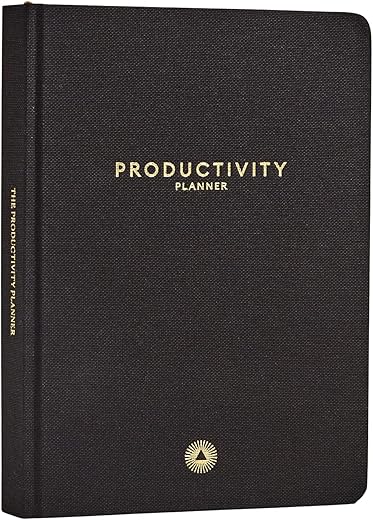
The Intelligent Change Productivity Planner trades a full year of planning for a highly focused 90-day system that forces you to prioritize.
Instead of a sprawling annual agenda, this A5 planner gives you just enough pages for one quarter. This constraint is its greatest strength. By limiting the timeframe, it pushes you to define clear, achievable goals for the next three months. We tested it over a 90-day sprint to manage a complex site migration, and found the daily structure—which combines task management with mindfulness prompts—kept our team aligned and prevented the long-term drift that plagues annual plans.
The Daily Layout: Less is More
Most planners give you a blank page or an hourly schedule. Intelligent Change uses a strict hierarchy. You get one “Most Important Task” (MIT) for the day, followed by two secondary tasks, and two additional tasks. If you try to do more than five things, the planner physically doesn’t have the space. During our testing, this forced us to abandon busywork and focus on needle-moving projects. Next to each task are small bubbles designed for Pomodoro tracking, where you fill one in for every 25 minutes of focused work.
Build Quality and Usability
Weighing in heavier than a standard notebook, the planner features a textured fabric cover and thick 120gsm paper. We tested it with gel pens, fountain pens, and highlighters; ghosting was practically nonexistent. However, because it’s undated, you will spend your first 20 minutes manually numbering the pages. While reusable options like the Rocketbook Fusion offer digital syncing, this planner is strictly analog, which we found helpful for disconnecting from screens during morning planning sessions.
The Weekly Review
At the end of each week, a dedicated review section asks you to reflect on what worked and what didn’t. It’s a stark contrast to standard planners that just turn the page to Monday. We found these prompts genuinely useful for recalibrating our workload, though the lack of weekend planning space means this tool is strictly for Monday-to-Friday professionals.





Has anyone tried using this planner for work? I’m curious if it can handle both personal and professional tasks without getting too cluttered.
Absolutely, Sophia! Many users use it for both personal and work-related tasks.
Yes! I use it daily for work meetings and personal goals. It keeps everything in one place.
I sometimes forget to plan my weeks ahead. Is this planner user-friendly enough for someone who struggles with planning?
I think you’ll find it helpful! The prompts guide you along the way.
It’s designed to be user-friendly! Many find it easy to follow.
I’ve heard good things about this planner but I’m hesitant about the price. Is it really worth the investment?
Many users say it’s worth the price for the productivity boost it provides.
I think so! The features and design justify the price, in my opinion.
This planner seems perfect for my busy lifestyle! ???? I’ve been looking for something to keep me on track. Has anyone tried the mindfulness sections?
Yes! Many users find the mindfulness sections very helpful for stress relief.
I love the mindfulness prompts! It really helps clear my head before planning.
I bought this planner last week and I love how it looks! The design is sleek and professional. However, I can’t seem to stick to it. Any tips on making it a daily habit?
Try setting small goals for each day! It makes it less overwhelming.
I set reminders on my phone to check it each morning. It’s become part of my routine!
Sticking to a planner can be tricky! Setting a specific time each day to plan can help.