Distractions are everywhere when you try to sit down and work. Digital notifications constantly pull your attention away from important tasks. Many people struggle to maintain concentration for more than a few minutes at a time. Relying purely on willpower rarely works when your phone is buzzing right next to your keyboard. Physical tools offer a tangible way to block out noise and structure your time.
Bringing physical objects into your workspace creates clear boundaries between work and leisure. A visual timer like the TIME TIMER Home MOD helps you see exactly how much time remains for a specific task. If noise is your main enemy, the Sony WH-1000XM5 Premium Noise Canceling Headphones block out background chatter. Having dedicated items on your desk signals to your brain that it is time to focus. These physical cues replace the endless scrolling habits that ruin productivity.
Finding the right combination of tools depends entirely on your specific work environment and personal habits. Some people need absolute silence, while others just need a way to lock their phone in another room. We looked at a variety of physical items that tackle different aspects of distraction. The options below cover time management, noise control, and even physical barriers to bad habits. Read through to find the specific items that match your daily workflow.




#1 TIME TIMER Home MOD – 60 Minute Kids Visual Timer Home Edition – for
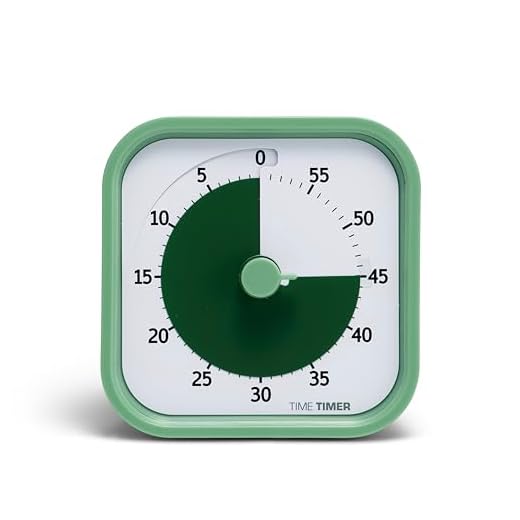
Time Timer Home MOD Visual Timer
The TIME TIMER Home MOD is a 60-minute analog countdown clock. It serves as a visual learning tool that assists with organization and concentration during tasks. This desk timer works well for students, remote workers, and anyone who struggles with time blindness. The intuitive design makes it accessible for all ages and abilities, including those with special needs. You can easily see the remaining time shrink as the colored disk disappears.
This timer operates with a simple mechanical dial that you twist to set the desired duration. It features an optional audible alert that you can turn off for sound-sensitive environments. The device requires one AA battery to function, though the battery does not come included in the package. You can customize the look with four different removable silicone covers to match your workspace. These covers are sold separately, but they offer a way to add some personality to your desk.
Compared to the digital Ticktime Pomodoro Timer on our list, this analog option provides a much clearer visual representation of passing time. It lacks the preset intervals of the digital cube, but the visual disk is often more effective for visual learners. You do not have to look at numbers counting down, which can sometimes cause anxiety. This makes it a great choice for homeschooling environments or quiet office spaces. If you prefer a simple visual cue over digital precision, this timer fits the bill perfectly.
#2 Sony WH-1000XM5 Premium Noise Canceling Headphones, Auto NC
Sony WH-1000XM5 Noise Canceling Headphones
The Sony WH-1000XM5 is a premium pair of over-ear noise canceling headphones. These headphones cater to professionals who work in loud offices or busy coffee shops. They offer a lightweight design with soft ear pads that remain comfortable during long listening sessions. The sleek style fits well in corporate environments or casual home offices. Anyone who needs to block out background chatter will appreciate the active noise cancellation capabilities.
Sony includes an Auto NC Optimizer that automatically adjusts the noise cancellation based on your environment. The wireless headset provides up to 30 hours of battery life on a single charge. This long battery life helps eliminate anxiety about your headphones dying in the middle of a workday. You can manage your music and calls using the intuitive touch controls located on the ear cups. A simple touch allows you to pause tracks, adjust volume, or answer hands-free calls.
These headphones offer a completely different approach to focus compared to the Yogasleep Rohm sound machine. While the sound machine masks noise for an entire room, the Sony headphones create an isolated audio bubble just for you. They are much more expensive than the other items on this list, but they provide the most effective noise blocking available. The hands-free calling feature also makes them highly practical for remote workers who take frequent meetings. If you need absolute auditory isolation, these headphones are the top choice.
#3 Yogasleep Rohm Portable White Noise Sound Machine, 3 Soothing Natural
Yogasleep Rohm Portable White Noise Machine
The Yogasleep Rohm is a compact and portable white noise sound machine. It produces three soothing natural sounds to help mask distracting background noises. This device suits people who find complete silence uncomfortable but cannot concentrate with music playing. It works well in shared office spaces, dorm rooms, or thin-walled apartments. The small footprint means it takes up very little space on a crowded desk.
Marpac, the creator of this device, has been a trusted leader in white noise machines since 1962. The Rohm operates on a single charge and can run all night long without needing an electrical outlet. It comes with a USB cable for easy recharging when the battery finally runs low. You do not have to worry about replacing disposable batteries. The manufacturer notes that this portable unit must be turned off and unplugged every 14 days to maintain optimal performance.
This sound machine provides a room-wide acoustic solution, unlike the personal isolation of the Sony headphones. It is much more affordable and allows you to remain aware of your surroundings while still masking distracting conversations. You can easily pack it in a bag when traveling, making it more versatile than a heavy desk accessory. It does not block noise completely, but it raises the ambient sound floor to make sudden noises less jarring. This makes it an excellent middle ground for people who dislike wearing headphones all day.
#4 BenQ ScreenBar Halo 2 LED Monitor Light Bar – Wireless Controller,
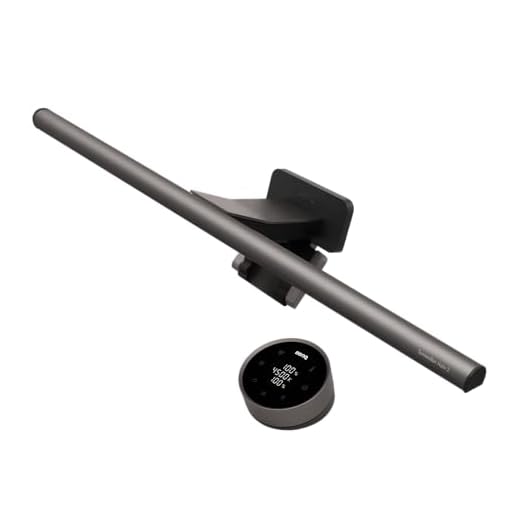
BenQ ScreenBar Halo 2 Monitor Light
The BenQ ScreenBar Halo 2 is an LED monitor light bar equipped with a wireless controller. It mounts directly to the top of your computer monitor to illuminate your workspace. This lighting solution targets late-night workers, gamers, and professionals who suffer from eye strain. The space-saving clamp securely attaches to monitors ranging from 0.17 to 2.36 inches thick. It also works with curved monitors that have a curvature of 1000R to 1800R.
This light bar features an enhanced ambient backlight that reduces the contrast between your bright screen and a dark room. The front light uses ASYM-Light Technology to project light at an 18-degree anti-glare angle. This precision lighting illuminates your desk without casting any annoying glare onto your monitor. You can adjust the stepless brightness levels and choose a color temperature ranging from 2700K to 6500K. The intuitive wireless dial lets you control all these settings and switch between different lighting modes from your desktop.
Proper lighting is a physical productivity factor that many people overlook until they experience eye fatigue. While the TIME TIMER helps you manage your schedule, the BenQ ScreenBar helps you maintain physical comfort during those scheduled work blocks. It frees up valuable desk space that a traditional desk lamp would otherwise occupy. The wireless controller is a unique touch that keeps your workspace looking clean and organized. If you spend long hours staring at a screen, this light bar provides essential visual comfort.
#5 Rocketbook Core Reusable Smart Notebook, Dot Grid Pages For School,
Rocketbook Core Reusable Smart Notebook
The Rocketbook Core is a reusable smart notebook featuring dot grid pages. It provides the tactile experience of writing on paper while offering digital cloud integration. This notebook appeals to students, creatives, and professionals who prefer handwriting their notes but want digital backups. It comes in two portable sizes, including a Letter size and a smaller Executive size. The spiral binding allows the notebook to lay completely flat on your desk while you write.
This new and improved version features premium reusable paper with an enhanced pen-to-paper feel. You write your notes using the included Pilot Frixion Pen, which glides smoothly across the synthetic pages. Once you finish writing, you can use the Rocketbook App to scan and upload your work directly to cloud platforms like Google Drive or Dropbox. After digitizing your notes, you simply wipe the pages clean with a damp cloth and start over. This reusable design helps reduce paper waste and provides a sustainable alternative to traditional notebooks.
The Rocketbook Core bridges the gap between physical focus and digital organization. Unlike the Kitchen Safe lock box that restricts access to your phone, this notebook encourages you to put your phone away by giving you a physical place to write. You only need your phone for a few seconds to scan the pages when you finish. It replaces stacks of messy paper that can clutter your workspace and cause visual distraction. For those who think best with a pen in hand, this is a highly practical tool.
#6 Ticktime Pomodoro Timer, Productivity Timer Cube, 3/5/10/15/25/30 Min
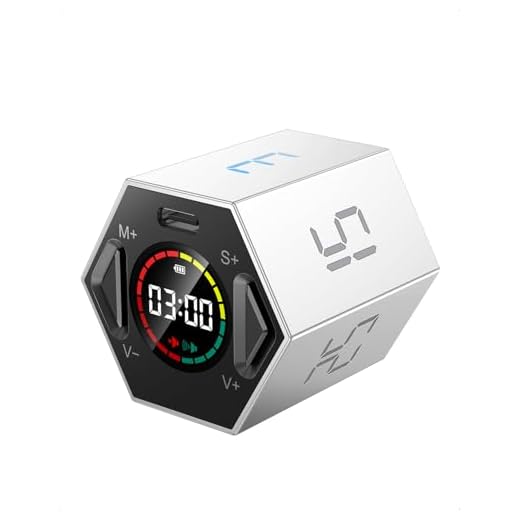
Ticktime Pomodoro Timer Cube
The Ticktime Pomodoro Timer is a digital productivity cube with multiple preset countdown intervals. It helps users master their time and boost productivity using the popular Pomodoro Technique. This compact device is ideal for remote workers, students, and anyone who needs structured work sprints. You can easily set it on your desk and flip it to start timing your tasks immediately. The small size makes it highly portable for taking to the library or a coffee shop.
The timer features a built-in gyroscope sensor that allows for instant quick-flip timing. You simply flip the cube to one of the preset intervals, which include 3, 5, 10, 15, 25, and 30 minutes. It also offers a custom countdown range from one second up to 99 minutes and 59 seconds. You can switch to a stopwatch mode to track progress during meetings, workouts, or experiments. The device includes three reminder modes, allowing you to choose between sound, vibration, or a silent flash alert.
This digital cube offers much more precise control than the analog TIME TIMER Home MOD. The quick-flip gyroscope feature makes it incredibly fast to start a 25-minute focus session without twisting any dials. The silent flash and vibration modes are excellent for quiet office environments where an audible alarm would disturb others. However, it lacks the large visual pie chart that some visual learners prefer. If you want a fast, tactile way to manage short bursts of work, this timer cube is highly effective.
#7 Kitchen Safe Time Lock Safe – Phone Safe Box with Timer, Timed Lock
kSafe Time Locking Container
The Kitchen Safe Time Lock Safe is a physical container with a timed locking mechanism. It acts as a precommitment device to help you build better habits and combat daily distractions. This lock box is highly effective for people who struggle with phone addiction, constant snacking, or other compulsive behaviors. You place your distracting items inside, set the timer, and the lid locks until the time expires. It provides a strict physical barrier when internal willpower is not enough.
The kSafe Mini Container is large enough to hold keys, credit cards, junk food, and your smartphone. You simply rotate the dial to set the lock time, which can range from one minute up to ten days. Once you press the button to activate the lock, there are no overrides to open it early. This scientifically backed method forces you to make smart decisions before the temptation strikes. It serves as your own personal intervention against the rising tide of screen addiction.
This lock box is the most extreme productivity tool on our list. While the Ticktime cube encourages you to focus, the Kitchen Safe physically prevents you from accessing your distractions. It pairs incredibly well with the Rocketbook Core, as you can lock your phone away and focus entirely on analog writing. It requires a strong initial commitment, but it guarantees that you will not check your notifications for the duration of the timer. If gentle reminders and visual timers fail you, this lock box provides the strict boundary you need.
Buying Guide
Understanding Your Distraction Triggers
Before buying any productivity tool, you must identify what actually pulls you away from your work. Some people lose focus because of auditory interruptions like talking coworkers or street traffic. Others struggle primarily with digital temptations like social media notifications and text messages. Recognizing your specific weakness helps you choose a tool that addresses the root cause. A quiet room will not help if your main problem is picking up your phone every five minutes.
Environmental factors play a massive role in how well you can concentrate on complex tasks. Poor lighting can cause eye strain, which makes you want to step away from your desk prematurely. An uncomfortable chair or a cluttered workspace creates a low-level physical stress that drains your mental energy. Fixing these environmental issues often requires physical adjustments rather than software applications. Creating a dedicated workspace signals to your brain that it is time to work.
Time blindness is another common trigger that ruins daily productivity. Many individuals have trouble estimating how long a task will take or how much time has passed. Without a clear visual or auditory cue, a five-minute break easily turns into an hour of wasted time. Externalizing your sense of time with a physical object keeps you grounded in reality. This physical boundary prevents tasks from expanding to fill your entire afternoon.
The Psychology of Physical Boundaries
Digital apps often fail to keep us on track because they live on the same devices that distract us. When you open your phone to check a digital timer, you immediately see a dozen unread messages. Physical tools exist entirely separate from your digital ecosystem. They do not send push notifications or offer endless feeds of content to scroll through. This separation is crucial for breaking the cycle of constant digital checking.
Tactile engagement also reinforces your commitment to a specific task. The physical act of twisting a dial, pressing a button, or writing on paper engages your motor skills. This movement creates a psychological anchor that software simply cannot replicate. You are making a tangible, real-world commitment to focus for a set period. Your brain registers this physical action as a clear transition from leisure to work.
Precommitment is a powerful psychological strategy for overcoming weak willpower. When you are feeling motivated, you set up physical barriers that prevent you from giving in to temptation later. By the time your motivation fades, the physical barrier is already in place to stop you. You do not have to rely on momentary willpower to resist checking your phone. The environment does the heavy lifting for you.
Structuring Your Work Sessions
Breaking your work into manageable chunks prevents mental burnout during long days. The human brain generally cannot maintain intense concentration for hours on end without a break. Working in short, focused bursts followed by brief rest periods yields much better results. This method trains your mind to focus intensely because the finish line is always visible. You learn to ignore minor distractions when you know a break is only a few minutes away.
Choosing the right interval length depends on the complexity of your work. Simple administrative tasks might only require ten or fifteen minutes of dedicated attention. Deep, creative work like writing or coding often requires longer blocks of twenty-five to forty-five minutes. You should experiment with different durations to find your personal sweet spot. Forcing yourself to work past your natural attention span usually results in diminishing returns.
Taking actual breaks is just as important as the focus sessions themselves. During your rest period, you must step away from your desk and let your mind wander. Scrolling through social media does not give your brain the rest it needs to recover. Stretching, walking, or simply looking out a window helps reset your cognitive resources. Returning to your desk after a proper break makes the next work session much more productive.
Managing Workspace Sensory Input
Auditory distractions are notoriously difficult to ignore because our brains are wired to pay attention to voices. Even a quiet conversation in the next room can completely derail your train of thought. Masking these sounds with consistent, neutral noise helps drown out the unpredictable spikes in volume. Some people prefer absolute silence, while others need a low hum to keep their minds from wandering. Controlling your auditory environment is a foundational step for deep work.
Visual clutter acts as a constant reminder of unfinished tasks and unmade decisions. A messy desk forces your brain to process unnecessary visual information while you try to work. Clearing away loose papers and unnecessary objects reduces this cognitive load significantly. Proper task lighting also directs your attention exactly where it needs to be. A well-lit workspace naturally draws your eyes to your current project and away from the shadows.
Ergonomics and physical comfort directly impact your ability to sustain attention. If you are squinting at a screen or shifting in a hard chair, your focus will inevitably break. Investing in tools that reduce physical strain pays massive dividends in your daily output. You should arrange your desk so that your most important tools are within easy reach. A comfortable, organized workspace makes the act of sitting down to work much less daunting.
Final Verdict
Choosing the right physical productivity tool comes down to identifying your biggest daily hurdle. If time management is your main struggle, the TIME TIMER Home MOD and the Ticktime Pomodoro Timer offer excellent visual and tactile cues. For those battling noisy environments, the Sony WH-1000XM5 headphones and the Yogasleep Rohm sound machine provide necessary auditory relief. Each of these items tackles a specific sensory distraction that ruins concentration.
Sometimes you need a more aggressive approach to break bad habits. The Kitchen Safe Time Lock Safe is ideal for anyone who simply cannot put their phone down during work hours. Meanwhile, the BenQ ScreenBar Halo 2 and the Rocketbook Core improve your physical workspace by reducing eye strain and paper clutter. Adding just one or two of these physical tools to your desk can drastically improve your daily output.
12 responses to “Best Physical Productivity Tools for Focus – Top 7 Picks”
I just started using Trello and I’m still figuring things out. ???? What do you all think about the Power-Ups? Are they worth it?
Power-Ups can really enhance your Trello experience! It depends on what you need, but many find them useful.
I love using the Calendar Power-Up for better visibility on deadlines! Totally worth it!
Todoist is solid, but I wish it had better integration with my calendar. ???? I love the task management features, but syncing is key for me. Anyone else feel this pain?
We understand, Tom! Some users use third-party apps to bridge that gap. Have you explored options like Zapier?
Totally get it! I use Google Calendar alongside Todoist, but it can be a hassle to keep them aligned. I wish they had a direct sync!
Google Keep is my go-to for quick notes! It’s simple and does exactly what I need. But I do wish it had better organization tools. ???? Anyone else feel the same?
Many users appreciate its simplicity but agree that more organizational features would be great.
Absolutely! I tend to use labels to sort my notes, but it still feels a bit chaotic sometimes.
I’m curious about Notion. I’ve heard so much hype, but it looks a bit complicated. Is it really worth it for someone who’s not very tech-savvy?
Notion can seem overwhelming at first, but many users find it customizable and useful once they get the hang of it!
I was in the same boat! I just started with templates and gradually learned to customize my workspace.