
Set Up an Ergonomic Home Office: A Step-by-Step Guide

Working from home can be a dream come true, but only if your setup promotes comfort and productivity. An ergonomic home office is essential for maintaining focus and avoiding the aches and pains associated with prolonged sitting or standing. Trust me, I’ve felt the difference a well-designed workspace can make. Let’s dive into how you can create an ergonomic sanctuary in your own home.
Choosing the Right Chair
The foundation of any ergonomic office is a good chair. I’ve found that a chair like the Herman Miller Aeron Chair B offers exceptional support with adjustable features to fit your body perfectly. It’s a bit of an investment, but considering how much time we spend sitting, it’s worth every penny. Ensure your chair supports your lower back and allows your feet to rest flat on the floor. If you’re like me and spend hours sitting, the right chair can prevent a world of back pain.
Desks: Sitting, Standing, or Both?
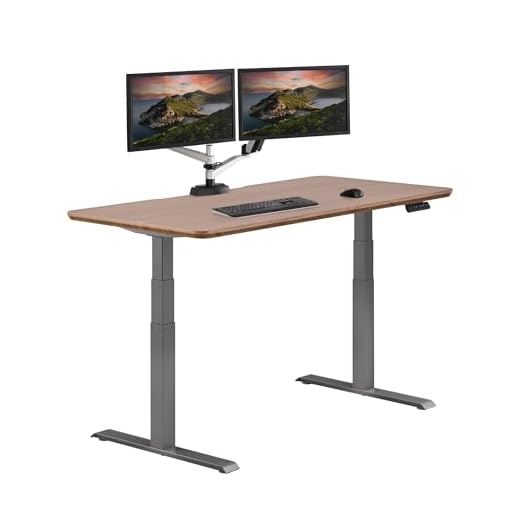
In my experience, having the option to switch between sitting and standing can dramatically improve your comfort and focus. The Vari Electric Standing Desk is a versatile choice that lets you adjust the height with ease. This desk can help you break free from the monotony and discomfort of sitting all day. When setting up your desk, make sure your monitor is at eye level to avoid neck strain. A comfortable desk setup encourages you to switch positions and keep your body engaged.
Finding the Perfect Mouse and Keyboard
Your mouse and keyboard play a crucial role in your ergonomic setup. I’ve been really pleased with the Logitech MX Master 3S. Its ergonomic design fits perfectly in my hand and reduces wrist strain. Pair it with a keyboard that offers a gentle, natural typing angle, and you’re all set. Ensure your mouse and keyboard are placed so that your elbows are at a 90-degree angle, which helps maintain good posture and prevents strain on your wrists.
Lighting and Accessories
Good lighting is often overlooked, but it’s essential for reducing eye strain. Position your desk near a window for natural light, but if that’s not possible, consider a desk lamp with adjustable brightness. Organize your workspace with accessories that keep your essentials within reach. In my setup, I use cable organizers to keep everything neat and tidy, ensuring that nothing distracts me from my work.
???? Key Takeaways
- Invest in a quality chair like the Herman Miller Aeron Chair B for optimal support.
- Use a desk that allows you to switch between sitting and standing.
- Choose ergonomic peripherals such as the Logitech MX Master 3S to reduce strain.
- Ensure your monitor is at eye level to prevent neck pain.
- Good lighting is essential for reducing eye strain.
Recommended Products
Based on my experience with this topic, here are products that can help:

Final Thoughts
Creating an ergonomic home office is more than just a trend; it’s an investment in your health and productivity. From personal experience, I can say that making thoughtful choices about your chair, desk, and accessories pays off in the long run. Start with these steps, and you’ll find that your home office becomes a place where you can thrive comfortably and efficiently.

