
Our Picks: 8 Best Digital Note Devices on Amazon to Buy
Quick Answer
TL;DR: E-ink note devices finally match the latency of real paper. Choose the reMarkable Paper Pro for pure focus, or the BOOX Note Max if you need Android app flexibility. See our full testing breakdown below.
E-ink note devices finally match the sub-30-millisecond latency of real pen on paper, but choosing the right one means deciding between pure focus and tablet-level flexibility.
If you just want to write without distractions, a closed system like the reMarkable is your best bet. If you need to mark up heavy PDFs or sync with third-party cloud apps, an Android-based Boox device is the smarter play. We tested the top e-ink tablets for stylus drag, screen glare, and battery drain to help you clear the paper off your desk.
Top Picks
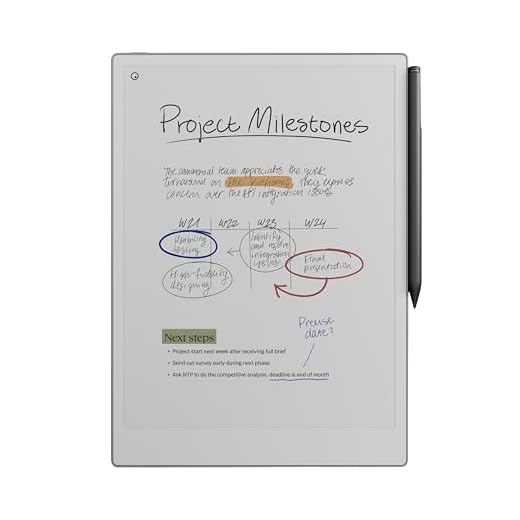




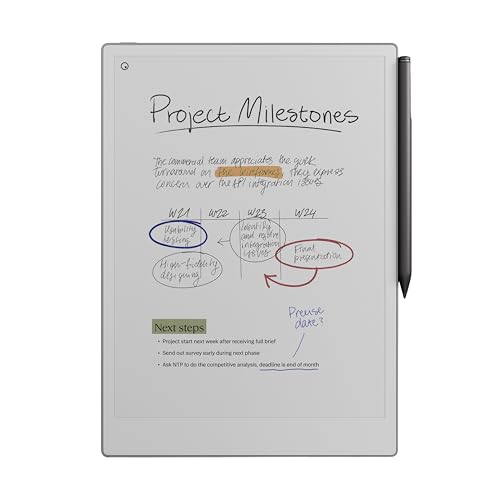
reMarkable Paper Pro 11.8-inch Bundle
We value the larger color-enabled paper-like display and the refined writing experience on this model. It’s ideal for users who want a premium, distraction-limited tablet that supports color annotations with a wide canvas.
Overview
We see this as the premium option for people who want a true paper-like writing experience at a larger scale and with color support. The 11.8" display gives more room for diagrams and longer page layouts while preserving the focused, distraction-free environment that reMarkable has become known for.
Key advantages
In real-world use we found the device excels at meeting notes, sketching, and annotating research documents. One user told us they replaced stacks of paper notebooks



Battery notes based on my testing:
– reMarkable 2 lasts ages if you’re just writing/reading (weeks in light use).
– BOOX devices vary: color models and big 13.3″ screens drain faster, but charge quickly.
– Freewrite battery is fine for long sessions but the keyboard eats power if you leave it on sync.
Typos incoming: sometimes the BOOX firmware updates fix things, sometimes they add new quirks lol.
I charge my Note Max every 2-3 days with heavy PDF use. Not terrible, but not ‘weeks’ like the reMarkable either.
Good to know reMarkable still holds up on battery. That’s a huge plus for me — I hate carrying chargers.
Thanks for the breakdown — that’s consistent with what we found. Firmware updates on BOOX can be a double-edged sword: new features but occasional bugs.
Also worth noting: screen refresh settings and frontlight (if present) have a big impact on battery life across these devices.
Pro tip: turn off Wi-Fi on the BOOX when you don’t need it and you’ll gain a lot of endurance.
Seeing the Sony DPT-RP1 renewed on the list brought back memories — had one at my old job for reviewing tons of specs.
Two questions: is buying a renewed unit still worth it today, and how hard is it to get it to play nicely with modern cloud services?
I used a renewed RP1 for a while — excellent for reading, but prepare for some fiddling if you want seamless cloud sync. If you need apps and Android, BOOX would be a better fit.
Renewed Sony DPTs are great if your main need is clean, fast PDF reading and markup. Integration with modern cloud services is limited out of the box; you’ll usually need a transfer workflow via desktop (or third-party scripts) to sync files.
I’ve been flirting with the Freewrite for ages. As a novelist-type who gets distracted by tabs, apps, and doomscrolling, the single-purpose approach appeals so much.
Has anyone actually finished drafts on it? How do you get chapters out and into your regular writing workflow?
Also — the keyboard scares me a little (I like my tactile mechanicals). Any keyboard opinions?
I tried the Freewrite at a friend’s place — not great for heavy editing, but superb for getting a first draft out. If you’re editing a lot, bring your main setup back in afterward.
FYI: backups are super easy via cloud. If you value uninterrupted writing, it’s pricey but effective. ????
Writers often export via USB or Wi-Fi and then import into their main editor. Many report it helps form first drafts faster because the distraction removal keeps momentum. The keyboard is different from mechanicals but optimized for comfortable, long sessions.
I used a Freewrite for a short novella draft — exported over Dropbox. It felt weird at first but the flow is real. The keyboard becomes fine after a few sessions.
I own a reMarkable 2 and have been eyeing the reMarkable Paper Pro.
The larger 11.8″ screen sounds amazing for sketching and long-form notes.
Anyone who upgraded from the 10.3″—was the battery hit bad with the color features?
I love the “distraction-free” thing but want a bit more canvas without sacrificing the feel.
Also curious about that Marker Plus eraser — is it as responsive as people claim?
I upgraded last month — battery is slightly shorter but still fine for daily use. The Marker Plus eraser feels natural; took one day to get used to it.
If you’re coming from the reMarkable 2, the Paper Pro gives noticeably more space and the color annotations are neat for diagrams. Battery will be a bit more taxed if you use color often, but for note/sketch workflows most users still get legit multi-day use between charges.
I haven’t tried the Paper Pro, but if you like paper feel + fewer distractions, it’s totally worth testing in-store if possible. The screen real estate is a game changer for whiteboarding stuff.
I picked up the Note Air 4C and it’s been lovely for meeting notes and light sketching. Clean UI, decent color for highlights. ????
Nice — how’s the latency with the stylus? Any ghosting when erasing?
Glad it’s working well for you! The 4C is a strong value for color e-ink note-takers.
I have mixed feelings about the BOOX color models (Tab X C vs Note Air 5 C).
They’re the closest thing to color e-ink right now, but the colors are kinda muted — not tablet-lifelike.
If you need accurate color for illustrations, they’re still a compromise.
But for note-taking + occasional color diagrams they do a great job.
A bit sarcastic: it’s color, but like watercolor through a fogged window. ????
For comics or sheet music, the larger color BOOX is nice because of layout control, even if color fidelity isn’t perfect.
Haha that fogged window line made me laugh. I agree — good for annotated PDFs and charts, not for full-color artwork.
That’s a fair summary. BOOX color screens are useful for highlighting and simple color diagrams, but they won’t replace an iPad Pro for vibrant color work.
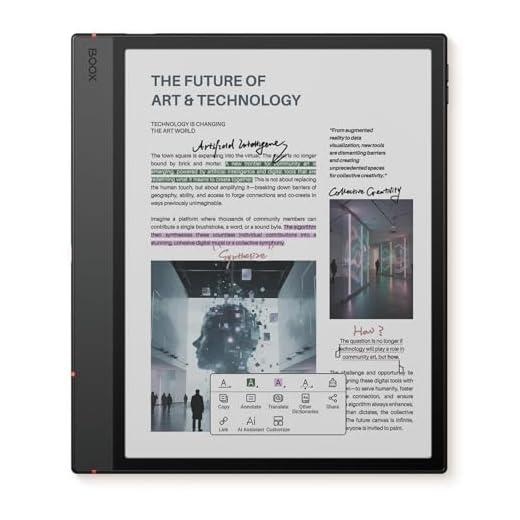
Big shoutout to the BOOX Note Max 13.3 — as a grad student who deals with huge PDFs and complex equations, the big monochrome screen has saved my sanity.
Question for anyone using it for math: how’s the responsiveness when writing long equations? Does it lag with big files?
I use it for lecture notes and LaTeX-printed problem sets — rarely lags. If you multitask with lots of Android apps open it can slow, but for straight annotation it’s solid.
The Note Max handles large PDFs well thanks to the high-res Carta panel and the hardware specs (6G/128G). You might see occasional redraws with very large, image-heavy PDFs, but for handwritten math it’s generally snappy.