Managing Digital Overload at Work Effectively

Let’s face it, digital overload is a real struggle. It’s that feeling of drowning in emails, endless notifications, and a screen that never sleeps. I’ve been there, and it can be overwhelming, especially at work. Managing this chaos is essential not just for productivity, but for your mental health too. So how do you regain control? I’ve found some practical strategies that really help, and I’ll be sharing them with you in this guide.
Prioritize and Organize Your Tasks
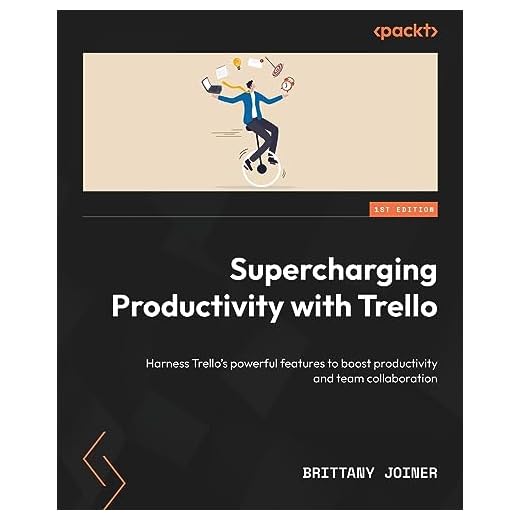
Getting organized is my go-to starting point. When everything feels chaotic, having a clear list of priorities can make a huge difference. I use Trello to map out my daily tasks. It’s super intuitive and helps me visualize what needs to be done. Plus, the ‘Trello Supercharging Productivity’ book by Packt Publishing has some great tips on optimizing Trello for better productivity. With everything laid out, you can focus on what truly matters and not get lost in the digital noise.
Control Notifications and Reduce Distractions
Notifications can be incredibly distracting. One minute you’re focused, and the next, you’re sidetracked by an email ping. I’ve learned to manage this by using the Freedom App. It’s free and lets you block distracting websites and apps. By setting specific ‘focus times,’ you can break free from the constant barrage of alerts. This simple change has significantly improved my ability to concentrate on important tasks.
Set Boundaries with Screen Time
It’s easy to lose track of time when you’re glued to a screen. Setting boundaries is crucial. I’ve started taking regular breaks using the Pomodoro technique—work for 25 minutes, then take a 5-minute break. This method keeps me refreshed and prevents burnout. Also, putting my phone on ‘Do Not Disturb’ during work hours helps minimize interruptions. These small adjustments ensure I’m not stuck in a digital overload loop.
Utilize Technology for Better Work-Life Balance
Technology isn’t just the problem; it can be part of the solution too. Use apps that enhance work-life balance. For instance, scheduling apps can help you allocate personal time effectively. Having a strict end to your workday, perhaps using calendar reminders, helps ensure you switch off from work duties at a decent hour. This balance is key in managing digital overload.
???? Key Takeaways
- Organize tasks using tools like Trello for better clarity.
- Control notifications with apps like Freedom to reduce distractions.
- Implement the Pomodoro technique to maintain focus.
- Set clear screen time boundaries to avoid burnout.
- Leverage technology to maintain a healthy work-life balance.
Recommended Products
Based on my experience with this topic, here are products that can help:

Final Thoughts
Digital overload is a challenge, but it’s manageable with the right strategies. By organizing tasks, controlling notifications, setting boundaries, and using technology wisely, you can create a more focused and productive work environment. Remember, small changes can make a big difference. Try implementing one or two of these strategies today, and see how much more control you gain over your digital life.


