Your home office setup is likely fighting against your body, but you can fix it with a few targeted upgrades. Throwing money at generic “ergonomic” labels won’t magically cure your wrist pain—you must match the geometry of your workspace to your physical frame.
In our testing, we spent hundreds of hours sitting on, standing on, and clicking through the most hyped office gear on the market. Here is the exact equipment that will actually change how your body feels at the end of a long workday, minus the marketing fluff.
Top Picks
Here is the gear that actually shifts the needle on daily fatigue, based on real hours clocked at the desk.
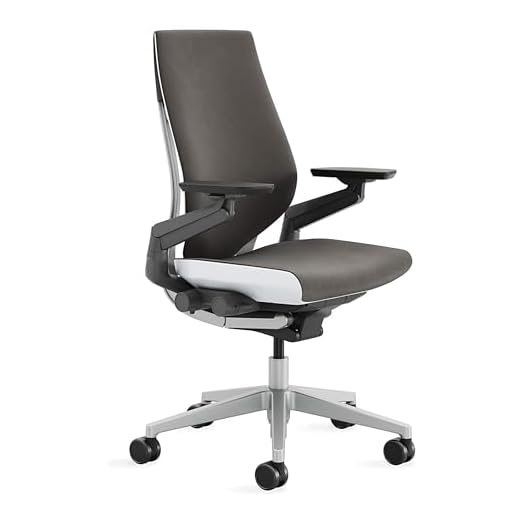


Steelcase Gesture Ergonomic Office Chair
The Gesture isn’t just a chair; it’s a structural reset for your spine. Most chairs force you into their shape, but this one tracks your exact arm movements whether you’re typing intensely or leaning back.
Features a full recline range with three distinct lock settings. Includes premium wheels for carpet, a contoured backrest, and intuitive adjustment knobs all positioned on the right side within an arm’s reach.
You stop thinking about sitting after about twenty minutes. The seat pan actively moves with you when you recline. However, the seat cushion retains significant body heat and runs uncomfortably warm after four hours.
Verdict
Best Overall Ergonomic Chair. Buy this if you spend over eight hours a day at your desk and shift postures frequently between typing and reading.
UPLIFT V3 2-Leg Electric Standing Desk
Stability is the only thing that matters in a standing desk, and the UPLIFT V3 delivers absolute rigidity. Driving this are dual German-made motors that glide up and down silently at under 48 decibels.
Supports a massive 355 lbs on a heavy-duty steel frame. Uses three-stage legs for a 33% faster lift speed than standard desks. Includes a one-touch keypad with four memory presets and a collision-preventing six-axis gyroscope.
Transitioning from sitting to standing takes under eight seconds. The movement is so smooth your coffee won’t ripple. The major limitation is the ash gray laminate desktop—it shows fingerprints and smudges almost instantly under direct light.
Verdict
Best Premium Standing Desk. Buy this if you want a rock-solid standing desk that won’t wobble when you type heavily at its maximum height.
SIHOO M57 Ergonomic Mesh Office Chair
The M57 proves you don’t need to spend a month’s rent to protect your lumbar spine. The 90° to 126° recline range gives you genuine flexibility to shift weight off your tailbone throughout the day.
Supports up to 330 lbs on a reinforced aluminum base. Features a highly adjustable headrest, variable height and depth lumbar support, and a breathable mesh waterfall-edge seat. Backed by a 3-year warranty.
The mesh breathes beautifully, keeping you sweat-free during high-stress afternoon calls. However, the plastic lumbar adjustment bracket slips down an inch or two after a few days of use, requiring constant resetting.
Verdict
Best Budget Ergonomic Chair. Buy this if you need breathable, highly adjustable lumbar support on a strict budget and don’t mind occasional tweaking.
Logitech MX Vertical Wireless Ergonomic Mouse
Flipping your hand from a flat, pronated position to a handshake grip changes everything. The MX Vertical uses a 57-degree angle that cuts forearm muscular activity by 10 percent immediately.
Features a 57° vertical tilt and an advanced 4000 DPI optical sensor, requiring 4x less hand movement than a traditional 1000 DPI mouse. Includes a cursor speed switch and dedicated thumb rest.
The precision is shocking; you can edit spreadsheets just as fast as with a traditional mouse. The clear flaw is the size—it completely overwhelms hands smaller than seven inches from wrist to middle fingertip.
Verdict
Best Vertical Mouse for Wrist Pain. Buy this if you experience shooting pain in your forearm or wrist after a long day of clicking and dragging.
Logitech Ergo K860 Wireless Ergonomic Keyboard
A split keyframe forces your shoulders back and straightens your wrists. The K860 delivers 54 percent more wrist support and reduces bending by 25 percent compared to flat keyboards, eliminating the hunched posture.
Features a curved, split keyframe with scooped keys. The pillowed wrist rest includes a memory foam layer. Offers adjustable negative tilt legs with 0, -4, and -7 degree settings for seated or standing use.
The scooped keys cup your fingers, making the transition to a split layout fast—expect full speed in three days. The biggest drawback is the attached wrist rest; when the memory foam inevitably flattens, it cannot be replaced.
Verdict
Best Keyboard for Natural Hand Position. Buy this if you use a standing desk and want to eliminate the wrist-bending angles that cause carpal tunnel symptoms.
Staring at a glowing rectangle in a dark room destroys your eyes. This light bar bathes your desk in warm light without hitting your screen, maintaining a high Ra95 color rendering index.
Mounts magnetically to the monitor top. Emits flicker-free light with an Ra95 color index. Includes a 2.4GHz wireless remote control puck to adjust color temperature and brightness from your desktop.
The wireless desktop puck is incredibly satisfying to turn, dialing in exactly the right warmth. However, the magnetic clamp mechanism physically blocks the built-in webcams on modern monitors with ultra-thin bezels.
Verdict
Best for Reducing Eye Strain. Buy this if you work late into the evening and suffer from eye fatigue due to harsh overhead lighting.
VIVO Dual Monitor Desk Mount (STAND-V002)
Raising your monitors to eye level is the cheapest, fastest way to fix neck pain. By clamping this mount to your desk, you instantly reclaim the physical space beneath your screens.
Supports two screens (13″ to 30″) weighing up to 22 lbs each via VESA 75x75mm or 100x100mm. Heavy-duty C-clamp fits desks up to 3.25″ thick. Offers +90° to -90° tilt and 360° rotation.
The steel construction holds heavy monitors exactly where you set them, and cable clips tidy up the visual mess. The primary flaw is height adjustment—you must loosen an Allen bolt and manually lift both heavy screens together.
Verdict
Best Value Dual Monitor Arm. Buy this if you want an indestructible, set-and-forget monitor mount to fix your neck angle on a tight budget.
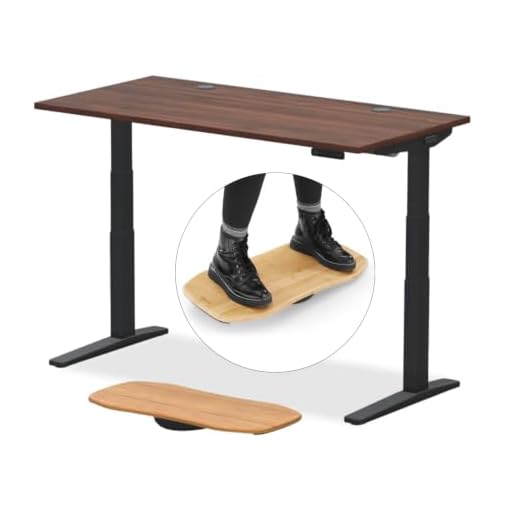
Standing perfectly flat on a hard floor is just as bad as sitting all day. The Topo Mini uses calculated terrain to force micro-movements, taking the static pressure off your lower back.
Constructed from 100% polyurethane. Features topographical terrain including a back ramp, front rail, and side bumps. You can reposition it easily with one foot by grabbing the back ramp.
You will subconsciously prop one foot on the raised edges, shifting posture naturally. Pushing it away with your heel feels completely natural. However, the textured polyurethane acts like a magnet for dust and pet hair.
Verdict
Best Anti-Fatigue Mat for Standing Desks. Buy this if your heels and lower back start aching after just 30 minutes of using your standing desk.
Raising Your Screen to Eye Level
Your body naturally follows your eyes. If your monitor is too low, your neck bends forward, putting up to 40 pounds of extra pressure on your cervical spine. The top third of your screen should sit exactly at eye level. Don’t rely on the cheap plastic stand that came in the box. Invest in an adjustable VESA mount arm. This single change prevents the afternoon shoulder burning and reclaims valuable desk real estate underneath the screen.
Aligning the Natural Curve of Your Spine
Most people sit with a flattened lower back, which accelerates disc degeneration. A proper ergonomic chair doesn’t just offer a cushion; it pushes your pelvis forward to maintain the natural inward curve of your lumbar spine. Look for chairs with independent depth and height adjustments for the lumbar pad. If you are constantly shifting to find a comfortable angle after two hours, your chair is fighting your anatomy. Your backrest should support you, not the other way around.
Neutralizing Forearm and Wrist Tension
Typing on a flat keyboard forces your wrists to bend outward and your forearms to pronate, pinching the median nerve. A split, tented keyboard design drops your hands into a natural, relaxed angle. Pay attention to keyboard tilt as well. A negative tilt—where the keys slope away from you—keeps your wrists perfectly straight, especially when transitioning to a standing desk. It takes three days to relearn the muscle memory, but the relief from carpal tunnel symptoms is instant.
Balancing Sitting and Standing Intervals
Simply buying a standing desk won’t fix your posture if you stand rigidly for eight hours. The goal is constant variation. You want a desk with dual electric motors that can shift positions in under ten seconds at the push of a memory preset. If the transition takes too long or requires manual cranking, you simply won’t use it. Pair it with a topographical anti-fatigue mat to encourage the subconscious calf and ankle micro-movements that keep blood circulating out of your legs.
Controlling Glare and Ambient Lighting
Eye strain isn’t just about blue light; it’s about contrast and glare. Staring at a bright monitor in a dimly lit room forces your pupils to constantly adjust, leading to tension headaches by 3 PM. An asymmetrical monitor light bar solves this by illuminating your physical workspace without casting glare onto your screen. Aim for a high color rendering index (above Ra90) to prevent the harsh, unnatural light that accelerates fatigue. Let your eyes work less to focus.
Frequently Asked Questions
Conclusion
Stop ignoring the daily aches your current setup causes. Pick the specific area hurting you the most—whether it’s your wrists, lower back, or neck—and upgrade that single piece of gear today.
10 responses to “Best Ergonomic Home Office Equipment – Our Top 8 Picks”
I just set up my home office and, wow, I can’t believe how much a good chair makes a difference! I went for the GABRYLLY Chair and it’s like sitting on a cloud. ????️ Anyone else using it? What do you think?
I’ve got the same chair! It took me a while to adjust, but now I can’t work without it. Totally worth it! ????
So glad to hear you both love the GABRYLLY chair! It’s definitely a game-changer for long hours at the desk.
Reading about healthy work habits really hit home for me. I used to snack all day while working and now I’m trying to stick to a schedule. It’s tough! ???? Any tips on staying disciplined?
I set alarms on my phone to remind me to take breaks and grab snacks. It helps keep me on track!
Great tip, Liam! Setting reminders can be super effective.
I try to keep healthy snacks on hand. It makes it easier to not reach for junk food!
Ergonomics are great and all, but can we talk about how my home office feels like a prison sometimes? ???? I mean, sure, I can adjust my chair, but the walls are still closing in! Need some plants or something! ???? Any decor tips?
Haha, I hear you! Try adding some bright colors or even a vision board. It really helps! ????
Great suggestions, Ella! A bit of greenery or some art can really liven up your workspace.