
Budget-Friendly Ergonomic Workspace Setup
Setting up an ergonomic workspace doesn’t have to break the bank. With so many of us working from home, finding budget-friendly solutions to stay comfortable and productive is more crucial than ever. I’ve tackled this challenge myself and found some practical, affordable steps that can make a huge difference in your day-to-day work life. Let’s dive into how you can create a comfortable workspace without burning a hole in your pocket.
Choosing the Right Ergonomic Chair
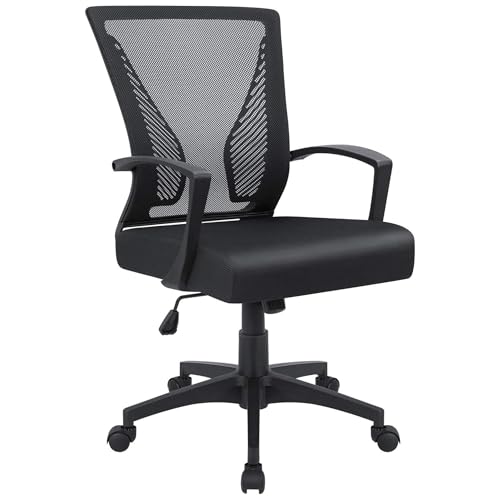
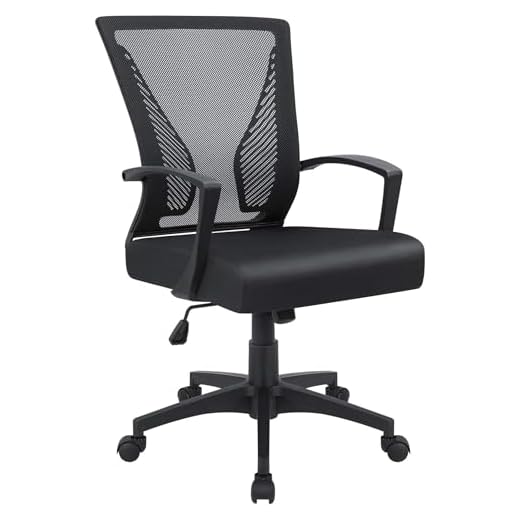
The key to an ergonomic workspace starts with a good chair. I’ve tried various chairs, and the Furmax Ergonomic Mesh Chair has been a game-changer. It’s affordable and provides great lumbar support, which is essential if you’re sitting for long periods. Look for a chair that offers adjustable seat height and a breathable mesh back to keep you cool. Another tip is to ensure your feet rest flat on the floor when sitting, which can significantly improve posture and comfort over time.
Setting Up a Functional Desk
Your desk is another critical component of an ergonomic setup. I personally prefer sit-stand desks for flexibility, and the VIVO Desk-V000S is a fantastic budget-friendly option. It allows you to switch between sitting and standing with ease, helping to reduce strain on your back. Ensure your desk is at a height where your elbows are at a 90-degree angle when typing. If a new desk isn’t in your budget, consider using sturdy boxes or shelves to elevate your monitor and keyboard to the right height.
Optimizing Monitor Placement
Adjusting your monitor is crucial to prevent neck and eye strain. The HUANUO Dual Monitor Stand is a great tool if you use multiple screens. It allows you to position your monitors at eye level and adjust the angle to reduce glare. I’ve positioned my monitors so that the top of the screen is at or slightly below eye level, which keeps my neck in a neutral position. Don’t forget to set your monitors about an arm’s length away to reduce eye fatigue.
Incorporating Ergonomic Accessories
Small accessories can make a big difference. A wrist rest for your keyboard and mouse can alleviate pressure on your wrists. I’ve also found that using a footrest helps in maintaining proper posture, especially if you’re shorter and can’t comfortably rest your feet on the floor. You can even DIY a footrest using an old box or thick book. The goal is to keep your body aligned and comfortable, reducing the risk of repetitive strain injuries.
🎯 Key Takeaways
- Invest in a supportive ergonomic chair like the Furmax Ergonomic Mesh Chair.
- Consider a sit-stand desk such as the VIVO Desk-V000S for flexibility.
- Position monitors at eye level using something like the HUANUO Dual Monitor Stand.
- Use ergonomic accessories like wrist rests and a footrest for added comfort.
- Ensure your workspace allows for a neutral body position to reduce strain.
Recommended Products
Based on my experience with this topic, here are products that can help:


Final Thoughts
Creating an ergonomic workspace on a budget is definitely achievable with a little planning. By investing in a few key items and making some strategic adjustments, you can drastically improve your comfort and productivity. Remember, the goal is to support your body properly while working, reducing strain and enhancing overall well-being. Give these tips a try and see how they transform your work-from-home experience.



