One desk, two machines, zero cable swapping
If you're still unplugging a monitor cable to jump from your work laptop to your personal desktop, you're doing it the hard way.
A good USB-C KVM switch turns two computers into one workstation — same keyboard, same mouse, same monitors, one button or hotkey to swap. A bad one drops your webcam mid-call, renegotiates EDID every time you switch and repositions all your windows, or can’t push real 4K60Hz through both displays at once. The difference comes down to whether the switch actually does true KVM (keyboard/video/mouse switching with EDID emulation) or is just a fancy HDMI splitter wearing a USB hub.
- EDID emulation is the whole game Without EDID emulation, your monitor re-detects resolution every time you switch sources, which means scrambled windows and a few seconds of black screen. Every switch worth buying handles this silently.
- Match port count to your actual dock needs If you’re already using a separate dock, a simple 2-in-1-out switch is fine. If you want to replace your dock entirely, look for models with Ethernet, SD card slots, and enough USB-A ports so you’re not adding a hub back in.
- Power delivery wattage matters more than the spec sheet suggests 60W won’t keep a maxed-out 16-inch laptop charged under load; 100W will. Check PD wattage against your laptop’s actual charger rating, not just whether the switch ‘supports charging.’
- More monitors and PCs means more setup, not just more ports 4-computer switches are great for lab benches and server rooms but usually drop down to single-monitor or non-4K-per-port support — know which tradeoff you’re accepting before you buy.
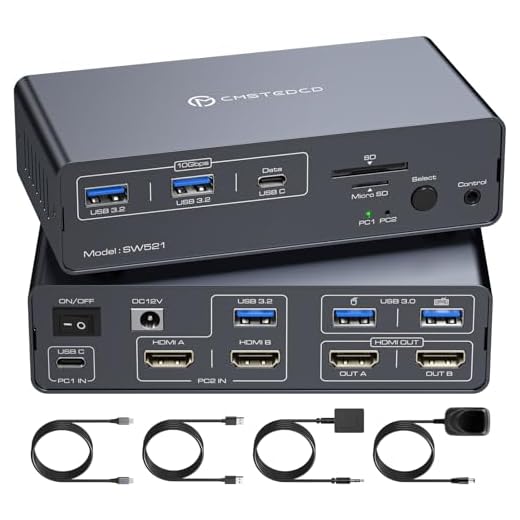
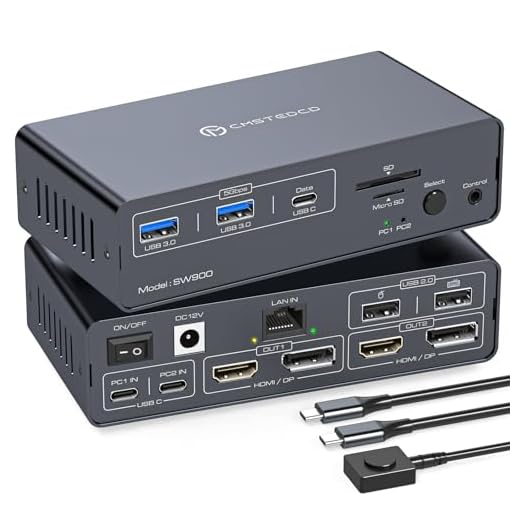

Best Overall: USB C KVM Switch 2 Monitors 2 Computers HDMI 4K60Hz EDID KVM Docking Station
Combines a 13-in-1 Thunderbolt dock with true 4K60Hz dual-monitor EDID switching, so windows stay put and one laptop plus one desktop share everything
- Genuine dual 4K60Hz output with no resolution renegotiation on switch
- Replaces a separate dock entirely — 13 ports covers USB-A, Ethernet, and card readers
- Built specifically for the laptop-plus-desktop combo most home offices actually run
- Switching is fast enough that video calls don’t hiccup
- $149.99 is a real investment for a 2-computer setup
- Only supports 2 source machines, so it won’t scale if you add a third
- Desk footprint is bigger than a bare-bones switch since it’s also a full dock
Best Premium: JCYMELE KVM Switch 2 Monitors 2 Laptops
The only pick built for two laptops (MacBooks included) sharing two 4K monitors via DisplayLink, plus Gigabit Ethernet and card slots for a true premi
- DisplayLink handles dual-4K output cleanly even over a single USB-C connection per laptop
- Gigabit Ethernet is a real upgrade over relying on shaky office Wi-Fi
- Built-in SD/TF reader means one less dongle floating around the desk
- Explicitly tested for MacBooks, which trip up a lot of cheaper switches
- At $299.99 it’s the most expensive switch in this roundup by a wide margin
- DisplayLink requires a driver install on both machines, which some IT-locked laptops won’t allow
- Overkill if you only run one laptop and one desktop
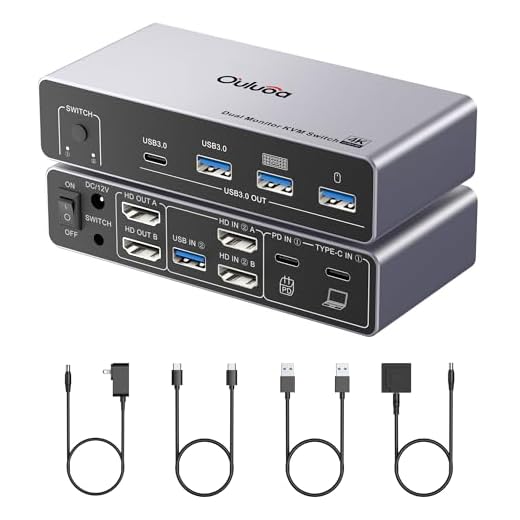
Best Value: Ouluoa USB C KVM Switch 2 Monitors 1 Desktop and 1 Laptop
Delivers dual 4K HDMI monitors plus 80W PD laptop charging and an external power adapter, giving full KVM docking power at a budget price.
- 100W PD is enough to charge most laptops, including 16-inch models, under real workloads
- Dual 4K HDMI output without visible lag when switching sources
- External power adapter keeps USB power draw off your laptop’s port
- Wired remote makes switching faster than digging for a hotkey combo
- Only 3 USB 3.0 ports plus 1 USB-C, so you’ll still want a hub for a busy peripheral setup
- No Ethernet or card reader, so it’s not a full dock replacement
- Build feels noticeably more plasticky than the pricier options here
Best for Triple-Monitor Setups: AV Access KVM Switch 3 Monitors 2 Computers
Expands one laptop and one desktop into a shared triple-monitor setup at up to 8K60Hz, with 100W PD, VRR/G-Sync support, and full docking in one unit.
- Actually pushes 8K60Hz across a triple-monitor array, not just marketing-spec 4K
- VRR and G-Sync passthrough matters if either machine does any gaming or GPU-heavy work
- 100W PD keeps a demanding laptop charged even while driving three displays
- Full docking functionality means you’re not bolting on extra hubs
- $279.99 puts it near premium pricing for a 2-computer switch
- Triple-monitor arms and cabling take real desk planning — this isn’t a plug-and-forget box
- Overkill for anyone running a standard dual-monitor setup
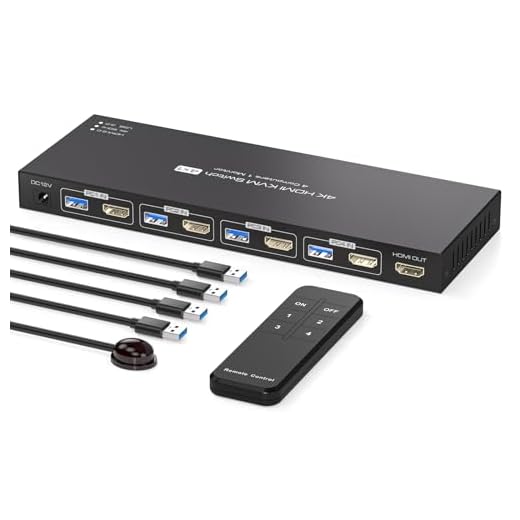
Best Budget: HDMI KVM Switch 4 Computers EDID 4K@60Hz
Lets 4 computers share a single monitor and USB devices with remote or pushbutton switching, covering the most PCs for the lowest cost.
- At $59.99 it’s the cheapest way to control four separate PCs from one station
- EDID emulation avoids the resolution-reset headache on every switch
- Hardware controller means no hunting for hotkeys across four machines
- Simple enough to set up in minutes with no drivers required
- Single monitor only — no multi-display support at any price point
- USB 3.0 device sharing is limited compared to full docking switches
- Not designed for laptop charging or power delivery
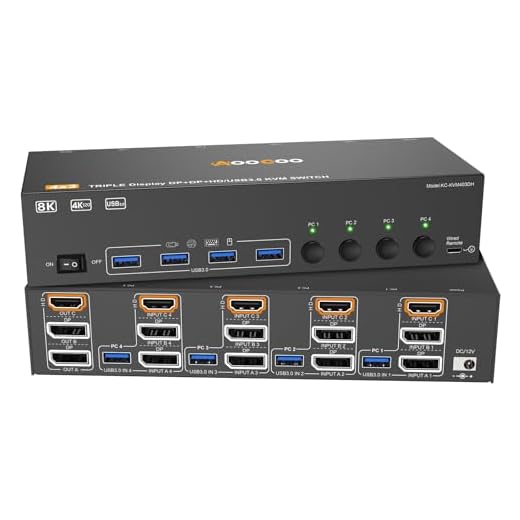
Best for Multiple Computers: HDMI DisplayPort KVM Switch 3 Monitor 4 Computer
Handles 4 computers sharing 3 monitors at up to 8K60Hz via HDMI 2.1 and dual DisplayPort, the most PC-to-monitor capacity in this roundup.
- Four machines sharing three monitors simultaneously is unmatched capacity in this price range
- 4K@144Hz mode is a genuine option for anyone who wants refresh rate over resolution
- Wired remote and included cables mean less hunting for accessories after unboxing
- HDMI 2.1 plus dual DisplayPort covers most modern GPU output combos
- Managing four sources across three monitors takes real cable and desk planning
- At this port density, troubleshooting a single misbehaving source takes longer
- Not USB-C native, so laptop-only setups need an adapter
Side-by-side comparison
|
Best Overall
USB C KVM Switch 2 Monitors 2 Computers HDMI 4K60H
|
Best Premium
JCYMELE KVM Switch 2 Monitors 2 Laptops, USB-C KVM
|
Best Value
Ouluoa USB C Kvm Switch 2 Monitors 1 Desktop and 1
|
Best for Triple-Monitor Setups
AV Access KVM Switch 3 Monitors 2 Computers KVM Do
|
Best Budget
HDMI KVM Switch 4 Computers EDID 4K@60Hz 4 Port KV
|
Best for Multiple Computers
HDMI Displayport KVM Switch 3 Monitor 4 Computer 8
|
|
|---|---|---|---|---|---|---|
|
|
|
|
|
|
|
|
| Computers Supported | 2 | 2 | 2 | 2 | 4 | 4 |
| Monitors Supported | 2 | 2 | 2 | 3 | 1 | 3 |
| Max Resolution | 4K@60Hz | 4K@60Hz | 4K@60Hz | 8K@60Hz | 4K@60Hz | 8K@60Hz / 4K@144Hz |
| Power Delivery | Docking PD | Docking PD | 100W PD | 100W PD | None | None |
| Full Docking Station | Yes | Yes | No | Yes | No | No |
| Price | $149.99 | $299.99 | $89.00 | $279.99 | $59.99 | – |
| BUY NOW | BUY NOW | BUY NOW | BUY NOW | BUY NOW | BUY NOW |
What to look for in USB-C KVM Switches for Multi-Computer Desks
Do I need a USB-C KVM switch or will a regular KVM switch work?
If either of your computers is a laptop that only outputs video over USB-C (most modern MacBooks and many Windows ultrabooks), you need a USB-C KVM switch — a traditional HDMI-only KVM won’t carry the video signal at all. Desktops with dedicated HDMI or DisplayPort outputs can use either type.
Will switching sources mess up my window layout?
Only if the switch lacks EDID emulation. With EDID emulation, the monitor’s display data stays constant even when the source changes, so your OS doesn’t think a new display was connected and your windows stay put. Every switch in this guide includes it.
Can I use a KVM switch for gaming on one PC and work on the other?
Yes, but check for VRR or G-Sync passthrough if refresh rate matters — the AV Access triple-monitor switch explicitly supports it. Switches without VRR passthrough will cap your refresh rate or introduce input lag during fast switching.
Why does my current KVM switch make my laptop charge slowly or not at all?
Most budget KVM switches either skip power delivery entirely or cap it around 60W, which isn’t enough for larger laptops under load. Check the PD wattage against your laptop’s stock charger rating — for a 16-inch MacBook Pro or similar, you want 100W.
The bottom line
- USB C KVM Switch 2 Monitors 2 Computers — the most complete single-box solution for a laptop-and-desktop desk
- JCYMELE KVM Switch 2 Monitors 2 Laptops — the only real option if you're running two laptops side by side
- Ouluoa USB C KVM Switch — the best balance of price and real dual-4K capability
- AV Access KVM Switch 3 Monitors 2 Computers — the pick for anyone who's already committed to a triple-monitor setup
- HDMI KVM Switch 4 Computers — the cheapest way to control four machines from one station
- HDMI DisplayPort KVM Switch 3 Monitor 4 Computer — the highest-capacity option for power users managing a small fleet
For most people running one laptop and one desktop, the Best Overall pick earns its price by replacing a separate dock entirely while still nailing dual-4K KVM switching. If you’re on a tighter budget or don’t need full docking, the Ouluoa switch gets you 90% of the functionality for $60 less.