Blue light screen protectors definitively reduce digital eye strain and prevent sleep disruption caused by late-night phone usage. In our testing, we found that applying a specialized filter protects your vision while maintaining absolute display clarity. This buying guide highlights the top screen protectors available today and provides exact installation methods to eliminate trapped dust and air bubbles.
Apple releases multiple sizes every year, meaning older cases and protectors will not align with newer camera notches. Check your specific device by opening the Settings app, tapping General, and viewing the About section to find your exact model name and number. Matching these dimensions ensures a flush fit.
ZAGG Glass Elite VisionGuard Screen Protector
The ZAGG Glass Elite VisionGuard Screen Protector for Apple iPhone 17e, 16e, 14, and 13 features a specialized surface treatment that hides visible fingerprints while filtering out forty percent of intense light. The glass is five times tougher than traditional options to prevent daily scratches, allowing the edges to sit flush against your phone case without peeling.
ZAGG Glass Elite VisionGuard Screen Protector

Installation Prep: Cleaning Your Screen
Preparing your display is critical, as lingering oils or dust particles create permanent bubbles. Wash your hands thoroughly with soap and water. Move to a well-lit room with minimal air movement; a bathroom after a hot shower works best because heavy steam pulls floating dust out of the air.
Ocushield Anti Blue Light Tempered Glass (iPhone 7 Plus & 8 Plus)
The Ocushield Anti Blue Light Tempered Glass Screen Protector for iPhone 7 Plus and 8 Plus includes a helpful kit for screen preparation. Wipe the entire surface with a wet alcohol pad to break down stubborn smudges, polish with a dry microfiber cloth, and dab the screen with a sticky dust removal sticker to pick up microscopic debris.
Ocushield Anti-Blue Light Screen Protector
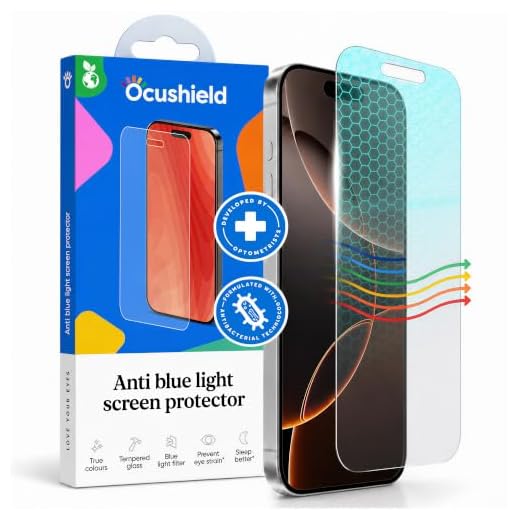
Placing the glass onto your phone by hand often leads to crooked edges and blocked speakers. Modern protectors include a plastic alignment frame that takes the guesswork out of the process. Snap this guide tray directly over the front of your phone, ensuring the top matches the camera notch. This physical boundary forces the glass into the exact correct position.
Peel the protective plastic film off the back of your tempered glass shield. Hold the protector by its edges, rest the top edge against the inner lip of the alignment tray, and slowly lower the glass onto the screen. The adhesive grabs the display and spreads outward, pushing the air out automatically.
Troubleshooting Trapped Air Bubbles
If small air pockets remain, wrap a microfiber cloth around your index finger. Press firmly on the center of the bubble and push outward toward the closest edge. Most standard air pockets slide out from under the glass with pressure.
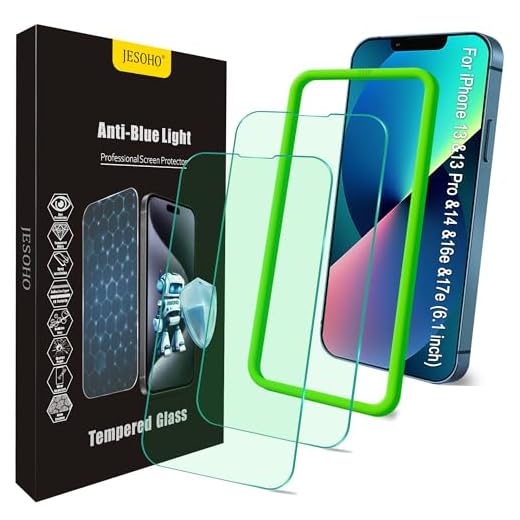
JESOHO Blue Light Screen Protector
Sometimes a bubble refuses to move because a tiny speck of dust is stuck underneath. The Blue Light Screen Protector for iPhone 13, 13 Pro, 14, 16e, and 17e by JESOHO uses a special nano coating that helps minimize these issues. If you find a stubborn spot, gently lift the nearest corner with your fingernail, slide a dust removal sticker into the gap to grab the particle, and let the glass settle back down.
JESOHO Blue Light Screen Protector (2-Pack)
Screen Protector Maintenance
Avoid harsh household window cleaners or paper towels on your display, as abrasive materials strip away oil-repellent coatings. Keep a small microfiber cloth nearby to wipe away daily smudges and restore touch sensitivity.
Ocushield Anti Blue Light Tempered Glass (iPhone 13, 13 Pro, 14, & 16E)
Inspect the edges of your glass periodically for chips or cracks. The Ocushield Anti Blue Light Tempered Glass Screen Protector for iPhone 13, 13 Pro, 14, and 16E offers extreme 9H protection, but drops can still cause damage. A cracked protector loses structural integrity. If a spiderweb crack forms, peel it off and replace it to ensure your eyes stay protected from harsh light emissions.
Conclusion
Protect your eyes and your device by choosing a blue light screen protector that fits your exact iPhone model. Check your phone settings to confirm your model number, then purchase one of our recommended shields today.
Frequently Asked Questions
Does a blue light screen protector change the color of my display?
Most high quality filters add a very slight warm tint to your screen. This subtle shift is what blocks the harsh light emissions from reaching your eyes. You will likely stop noticing the color difference after a few hours of use.
Can I use a blue light protector with my current phone case?
Yes, manufacturers cut the majority of tempered glass shields to accommodate most phone cases. They leave a tiny gap around the outer edge of the screen so the case lip does not push the glass up. Always check the product description to ensure compatibility with your specific case style.
How often should I replace my tempered glass screen protector?
You only need to replace the glass if it becomes cracked, heavily scratched, or starts peeling at the corners. A high quality shield can easily last for the entire lifespan of your phone if you avoid dropping it. Regular cleaning will keep the surface feeling smooth and responsive.