Avoid These Common Fitness Tracker Mistakes
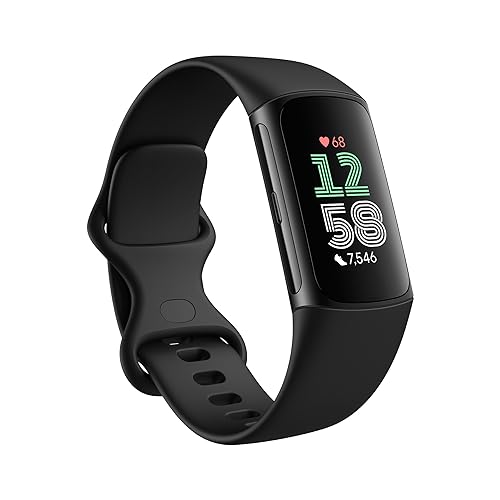
Fitness trackers have become essential tools for many of us trying to stay healthy and active. But have you ever felt like your tracker is more of a hassle than a help? I’ve certainly had my fair share of frustrations with mine. Whether you’re using the latest Fitbit Charge 6 or the Apple Watch Series 11, getting the most out of these gadgets isn’t always straightforward. Let’s dive into some common mistakes people make when using fitness trackers and how to avoid them.
Setting Unrealistic Goals
One of the biggest pitfalls I’ve encountered is setting goals that are too ambitious. When I first got my Garmin Forerunner 255 Music, I was eager to hit 20,000 steps a day, inspired by stories of high-achieving athletes. But soon, I found myself discouraged when I couldn’t keep up. It’s crucial to set realistic and achievable goals that fit your current lifestyle and fitness level. Start small, like aiming for an extra 1,000 steps a day, and gradually increase your targets as you build endurance. This approach not only keeps you motivated but also reduces the risk of burnout.
Ignoring the Data
Another mistake I’ve noticed, even in myself, is overlooking the data your tracker provides. Whether it’s sleep patterns, heart rate, or activity levels, these gadgets collect a wealth of information that can guide your fitness journey. When I started paying attention to the heart rate data on my Fitbit Charge 6, I learned to optimize my workouts for better fat burn and endurance. Take the time to understand the insights offered by your device. This can help you adjust your fitness plan to better align with your health goals.
Not Syncing Regularly
You’d be surprised how often people forget to sync their fitness tracker with their smartphone or computer. I’ve been guilty of this with my Apple Watch Series 11, thinking I’d do it later, only to realize I’ve missed out on logging valuable data. Regular syncing ensures your progress is accurately tracked and prevents data loss. Set a reminder to sync your device daily or every few days at the very least. This routine will help you maintain a comprehensive view of your activity levels and progress over time.
Neglecting Firmware Updates
It’s easy to hit ‘remind me later’ when your fitness tracker prompts for a firmware update. I’ve fallen into this habit with my Garmin Forerunner 255, only to regret it when I missed out on new features and bug fixes. Keeping your device updated ensures it operates efficiently and takes advantage of the latest enhancements. Make it a point to check for updates regularly, as these can significantly improve your device’s performance and extend its lifespan.
???? Key Takeaways
- Set realistic, achievable fitness goals to avoid burnout.
- Regularly review and understand the data your tracker provides.
- Sync your device often to prevent data loss and maintain accurate records.
- Keep your fitness tracker’s firmware updated for optimal performance.
- Use your tracker’s features to tailor your workouts for better results.
Recommended Products
Based on my experience with this topic, here are products that can help:


Final Thoughts
Using a fitness tracker effectively can significantly enhance your health and fitness journey, but it requires some effort and awareness. By setting realistic goals, paying attention to the data, and keeping your device updated, you can avoid common pitfalls and make the most of your gadget. Whether you’re a casual walker or a seasoned athlete, these strategies will help ensure your fitness tracker becomes an invaluable ally in your quest for better health. So, charge up your Fitbit, sync your Apple Watch, or update your Garmin, and get ready to reach new heights in your fitness journey!