Your eyes feel like sandpaper after a four-hour Apex Legends session. Blinking hurts, the screen looks blurry, and a dull headache sits behind your temples. You see Twitch streamers wearing those yellow-tinted glasses and wonder if they actually work or if they just want a sponsorship check.
Gaming glasses are highly marketed accessories claiming to stop digital eye strain. They filter specific light wavelengths and reduce screen glare. Separating the actual science from the aggressive marketing hype helps you decide if spending $50 to $100 on a pair makes sense for your desk setup.
We tested the claims against the physical realities of screen fatigue. This guide breaks down what these lenses actually fix, where they fail, and how to know if your specific symptoms require a physical pair of glasses.
The Core Mechanics of Gaming Lenses
Most gaming glasses perform three specific functions. They filter high-energy visible blue light, reduce screen glare through an anti-reflective coating, and often include a slight magnification. The blue light filtration happens through a special dye baked directly into the lens material or a heavy coating applied to the surface. This physical barrier stops light in the 400 to 450-nanometer range from passing through to your retina. By reducing this high-intensity spectrum, your visual system deals with significantly less harsh lighting during extended competitive matches.
The anti-reflective coating stops overhead room lights, nearby window reflections, and even the glow of your RGB keyboard from bouncing off the lens into your eyes. This feature alone reduces the massive amount of visual noise your brain has to process during a fast-paced match. Quality coatings repel smudges, fingerprints, and dust, keeping your field of view perfectly clear. A clean, glare-free lens prevents you from constantly squinting to see past irritating reflections.
The Truth About Blue Light and Sleep
Marketing materials heavily blame blue light for sharp eye pain and physical damage. Science tells a different story entirely. Blue light from your modern LED monitor does not physically damage your eyes or burn your retinas. Instead, it strongly suppresses melatonin production in your brain. Your body interprets the bright, cool-toned light from your gaming monitor as midday sunlight. This chemical confusion keeps your brain highly alert and wide awake long after you log off for the night.
Wearing gaming glasses after 8:00 PM stops this specific light wavelength from delaying your natural sleep cycle. If you consistently struggle to fall asleep after late-night gaming sessions, the amber tint helps your body transition into its natural circadian rhythm. You will fall asleep much faster and get better overall quality rest. Proper deep sleep allows your eye muscles to recover overnight, meaning you wake up with far less lingering soreness the next morning.
Focus Fatigue and the Screen Stare
The real culprit behind your burning eyes is your drastically reduced blink rate. Humans normally blink about 15 times per minute while having a normal conversation or walking around. When you play a competitive shooter and stare intently at a moving target, your blink rate drops to around five times per minute. Your natural tears evaporate very quickly, leaving your cornea dry, exposed, and highly irritated. This creates that awful gritty feeling under your eyelids.
Gaming glasses trap a small layer of humidity right between the inner lens and your eye. This localized microclimate slows down tear evaporation significantly. While no pair of glasses will force your eyelids to blink more often, keeping that moisture trapped gives your eyes a reliable buffer against dry room air, air conditioning vents, and ceiling fans. A wraparound frame style provides the absolute best protection for retaining this vital pocket of moisture.
The Hidden Benefit of Slight Magnification
Many popular brands build a +0.20 diopter magnification into their base non-prescription lenses. This fractional zoom acts like a tiny stepping stone for your tired eye muscles. It reduces the physical effort your ciliary muscles need to exert to keep a 27-inch monitor located two feet away in sharp focus. Easing this heavy muscular burden translates directly to less tension building up right behind your eyes.
This specific feature helps you the most during long MMO raids or heavy strategy games filled with tiny text interfaces. Your eyes do much less mechanical work over a four-hour period of reading chat logs. If you already wear prescription contacts, you need to verify if this added magnification will clash with your current focal distance. Too much magnification can easily cause the exact headaches you are trying to prevent in the first place.
Amber vs. Clear Lenses Explained
Lens tint dictates exactly how much light gets blocked from reaching your eye. Amber lenses typically block up to 65 percent of harsh blue light. They give your screen a distinct warm, yellowish hue. This makes them highly effective for playing in entirely dark rooms, but they will completely distort your in-game colors. You will lose the crisp whites and deep blues originally intended by the game developers and art designers.
Clear lenses block around 35 percent of blue light. They keep color accuracy mostly intact, making them much better for games with vibrant art styles or if you also use your PC for photo and video editing tasks. Choose clear lenses for daytime play in well-lit environments or office spaces. Reserve amber lenses for playing in a basement at midnight when your primary goal is protecting your upcoming sleep schedule.
When Gaming Glasses Fall Short
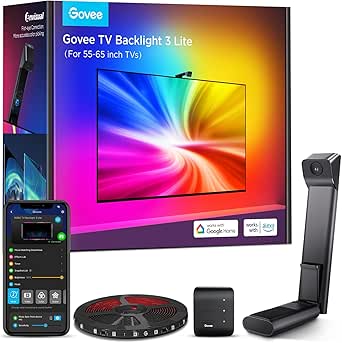
Buying specialized glasses will never fix a terrible physical gaming setup. If you play in a pitch-black room with your monitor brightness cranked to 100 percent, glasses cannot save your eyes from that extreme, painful contrast. You need bias lighting placed directly behind your monitor to soften the harsh transition between the bright screen and the dark wall. Fix your physical room environment first before buying accessories.
Glasses also cannot fix an outdated monitor with a low refresh rate or a cheap panel that uses pulse-width modulation for dimming. A flickering screen forces your eyes to constantly readjust their focus micro-seconds at a time. You must address your room lighting, monitor settings, and screen distance before expecting a specialized piece of plastic to instantly solve all your vision problems.
How to Test Your Need for Gaming Glasses
Start your testing process by dropping your monitor brightness to 40 percent and turning on the built-in night mode setting in Windows or macOS. Play your usual games for three consecutive days using these completely free software adjustments. Note exactly how your eyes feel at the very end of a session. Keep a physical log of any headaches, dry eye sensations, or trouble falling asleep.
If your headaches disappear and your eyes feel completely fine, you likely do not need to purchase gaming glasses. The free software changes solved your underlying issue. If you still experience burning eyes and sleep disruption after changing your screen settings, investing in a quality pair of physical gaming glasses is your logical next step. You can confidently start shopping for frames knowing you actually need them.
Handling Prescription and Contact Lenses
Gamers who already wear glasses face a slightly different set of choices. You can easily order gaming lenses with your exact prescription from major online optical retailers. This brilliantly combines your necessary vision correction with blue light filtering and anti-glare properties. Expect to pay between $100 and $200 for a high-quality prescription pair, depending heavily on your frame choice and specific lens thinning requirements.
If you wear contact lenses while gaming, standard non-prescription gaming glasses work perfectly right over them. The glasses will actually help keep your contacts from drying out by blocking moving air from nearby desk fans. Make sure to buy glasses with adjustable nose pads so they sit comfortably on your face without sliding down your nose during incredibly tense gaming moments.
Quick Tips
- Place an LED light strip directly behind your monitor to create bias lighting. This reduces the harsh contrast between your bright screen and a dark room.
- Keep your monitor exactly 20 to 24 inches away from your face to reduce the heavy focusing burden on your eye muscles.
- Force yourself to blink fully during loading screens or match-making lobbies to spread fresh tears across your cornea.
- Apply lubricating artificial tears 15 minutes before starting a long gaming session to build up a protective moisture barrier.
- Turn down your monitor brightness to perfectly match the ambient light level in your room so your screen looks like a piece of paper.
Frequently Asked Questions
Gaming glasses are not a medical cure-all, but they are also not a gimmick. They provide measurable benefits by filtering sleep-disrupting light, blocking glare, and trapping moisture near your eyes. For players who log heavy hours after the sun goes down, they act as a reliable tool to prevent fatigue and protect sleep schedules.
Once you fix your room lighting and monitor settings, a good pair of lenses provides the final layer of defense against eye strain. Check out our guide to the Best Gaming Glasses to find the right frame style and lens tint for your specific setup.