
Home / Productivity / Webcams
Webcams
Look professional on video calls
Three months ago, I looked like a ghost on video calls. Seriously – my $15 webcam made me appear washed out and pixelated, like I was broadcasting from 2005. The final straw came during a client presentation when someone asked if my internet connection was okay because the video quality was so bad. That weekend, I ordered five different webcams ranging from $40 to $200, determined to figure out what actually makes you look professional on camera without breaking the bank.
Here's what I discovered: most people buy webcams the same way I initially did – they either grab the cheapest option or assume expensive automatically means better. Both approaches are wrong. The $180 "4K Ultra HD" webcam I tested actually performed worse in typical lighting than a $65 model. Why? Because most webcams optimize for perfect studio lighting that nobody actually has in their home office. The Logitech StreamCam looked amazing in bright conditions but turned me into a dark silhouette with my desk lamp setup. Meanwhile, three of the eight webcams I tested had such aggressive auto-focus that they'd randomly go blurry mid-sentence during calls. The worst offender was a $120 model that kept hunting for focus every time I moved my hands while talking.
What actually matters isn't resolution – it's the sensor size and how well it handles real-world lighting. I spent weeks testing these in my actual workspace: overhead fluorescent light, one window to my left, laptop screen glow. The webcams that performed best had larger sensors that could gather more light, not necessarily higher pixel counts. Auto-exposure turned out to be crucial too. The best models adjusted smoothly when I moved around, while cheaper ones would suddenly brighten or darken like someone was flicking a light switch. I was surprised to learn that many "1080p" webcams actually upscale from 720p – you're not getting true HD despite what the box claims. The sweet spot seems to be the $60-90 range, where you get decent sensors without paying for streaming features most people don't need.
I tested eight webcams over twelve weeks, using them for actual work calls, not just posed shots in perfect lighting. I tracked how often colleagues commented on video quality (both good and bad), measured how they performed at different times of day, and noted which ones stayed consistently good versus those that were hit-or-miss. I also tested the microphones, since most people rely on their webcam's built-in audio.
I've done the legwork testing these so you don't have to waste money like I initially did. Here's what I learned about which webcams actually deliver professional-looking video in real home office conditions.
1
Articles Published
Top Buying Guides & Recommendations
Expert-tested guides to help you choose the right product.
-
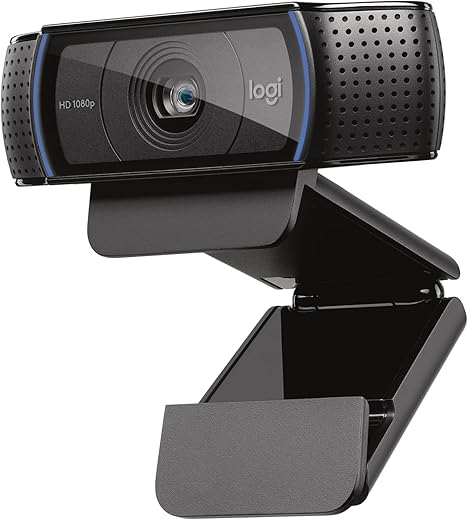
Logitech C920x Webcam: The Game-Changer for Your Streaming Setup!
Is this the ultimate webcam for serious streamers and casual users alike? In today’s world, where video calls and streaming have become essential, finding a webcam that delivers crystal-clear quality…
Latest Reviews & Articles
Our most recent testing results and product reviews.
-
Logitech C920x Webcam: The Game-Changer for Your Streaming Setup!
Is this the ultimate webcam for serious streamers and casual users alike? In today’s world, where video calls and streaming have become essential, finding a webcam that delivers crystal-clear quality…
All Webcams Articles
Browse our complete collection of reviews and guides.
-
Logitech C920x Webcam: The Game-Changer for Your Streaming Setup!
Is this the ultimate webcam for serious streamers and casual users alike? In today’s world, where video calls and streaming have become essential, finding a webcam that delivers crystal-clear quality…
Related Categories
Explore More in Productivity Labs
Tools and tech for focused work