
Unplugging Sleep Myths: How Our Devices Can Help Us Rest Better

Quick Answer
TL;DR: Your devices can improve sleep if used intentionally. Use a wearable to see how late-night caffeine affects your deep sleep, enable your phone’s most aggressive red-tinted night mode two hours before bed, and use a sound machine app to mask disruptive noise. The goal is to turn your tech from a distraction into a dedicated sleep tool.
Your phone can be the most powerful sleep tool you own, but only if you use it intentionally. Instead of letting notifications and endless scrolling dictate your rest, you can use that same device to analyze sleep patterns, block disruptive blue light, and create an environment that promotes deep, restorative sleep. This isn’t about buying more gadgets; it’s about using the ones you already have to take control of your night. We’ll show you the specific settings and strategies that work.

Understanding Sleep Cycles and the Role of Technology
Understanding your sleep cycles is less about academic knowledge and more about diagnostics. A sleep tracker, like a Fitbit Inspire 3 Health & Fitness Tracker, gives you a nightly report card. Pay attention to the deep sleep and REM stages. If you consistently get less than 60 minutes of deep sleep, it’s a red flag that something is off—perhaps your room is too warm or you had caffeine too late. Use the data to run experiments. Try cutting off coffee at 2 PM for a week and see if your deep sleep duration increases. That’s how you turn data into better rest.
The Impact of Blue Light and How to Manage It
The blue light from your screens directly suppresses melatonin, the hormone that tells your brain it’s time to sleep. To manage it, go beyond the default “Night Shift.” On most phones, you can use accessibility settings to create a “red mode” shortcut that tints your entire screen red, which is far more effective at blocking the most disruptive wavelengths. Pair this with a hard rule: enable red mode two hours before bed. For daytime use, blue light filtering glasses can reduce eye strain, but for sleep, software filters give you more aggressive, effective control.
Sleep Apps: Finding the Right Tools for Our Needs
The right sleep app acts as a targeted tool, not just a distraction. If you can’t shut your brain off, a guided meditation from an app like Calm can help, specifically a “body scan” meditation that forces you to focus on physical sensations instead of racing thoughts. If noise is the problem, a sound machine app like Pzizz or Noisli provides non-looping pink or brown noise, which is more effective at masking sudden sounds like a door slamming than simple white noise. Use microphone-based trackers like Sleep Cycle only if you don’t have a wearable, as they can be less accurate.
Creating a Tech-Friendly Sleep Environment
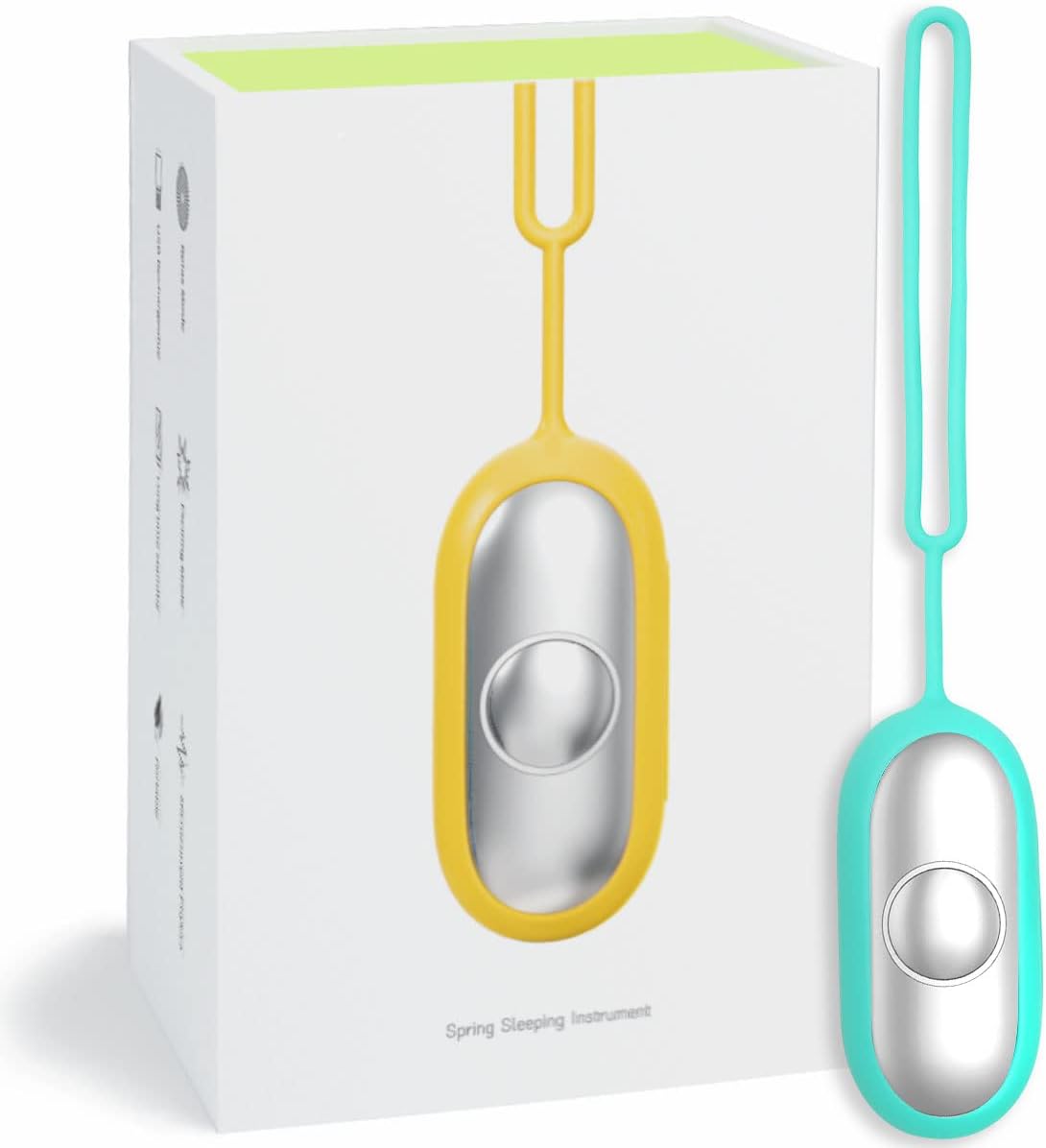
Your bedroom environment is a set of signals for your brain. Use tech to make those signals consistent. Program smart lights to automatically shift to a warm, dim setting (under 2000K) an hour before your bedtime, mimicking a sunset. Use a smart thermostat to drop the room temperature to between 65-68°F (18-20°C), a range proven to improve sleep quality. A dedicated sound machine like the Compact Handheld Sleep Device is better than a phone app because it removes the temptation to check your screen one last time before you close your eyes.
Establishing a Healthy Digital Sleep Routine
A healthy digital routine creates non-negotiable boundaries. Use your phone’s built-in wellness features (Screen Time on iOS, Digital Wellbeing on Android) to automatically enable grayscale mode and block social media, news, and email apps at 9 PM. This makes your phone boring and removes the temptation. Then, create a ‘shutdown sequence.’ For example: at 9:30 PM, start a 20-minute sleep story or podcast. At 9:50 PM, place the phone on a charger across the room. This physical separation is the final, crucial step to reclaiming your pre-sleep hour.

Embracing Technology for Better Sleep
Stop letting your devices dictate your rest. Pick one strategy from this guide—like setting up a ‘red mode’ shortcut or an automated app blocker—and implement it tonight. The key is to start small and be consistent.
Frequently Asked Questions
Do blue light glasses actually work?
High-quality ones do, but effectiveness varies. For sleep, look for amber or red-lensed glasses that block at least 90% of blue light. Clear-lensed “computer glasses” are for reducing daytime eye strain and won’t significantly impact your sleep hormones.
Is it bad to sleep with my phone in my bed?
Yes. The primary issue is behavioral, not radiological. Having your phone within reach encourages late-night scrolling and notification checking, which fragments your sleep architecture even if you don’t remember waking up. Charge it across the room.
My sleep tracker says I get very little deep sleep. What’s the first thing I should fix?
Check your environment and habits. The two biggest culprits are a room that’s too warm (aim for 65-68°F / 18-20°C) and consuming alcohol or caffeine too close to bedtime. Address those factors for a week before worrying about more complex issues.




I love the idea of using tech to enhance sleep! Just ordered those blue light blocking glasses. ???? Can’t wait to see if they help!
Awesome! Let us know if they make a difference!
Looking forward to your feedback, Ava! Hope they work well for you!
Blue light blocking glasses? Hmmm… Do they really work? I mean, I’ve heard mixed reviews. ???? I could use all the help I can get to sleep better!
Thanks for sharing, Sarah! Blue light glasses can definitely reduce eye strain, which can help with sleep.
I got a pair a while back, and I think they help! Worth a shot for sure!
I’m not sure about the sleep tracking thing. I feel like it makes me more anxious about my sleep. ???? Anyone else feel that way?
That’s a valid concern, Lucas! Tracking can be useful, but it’s important to not stress over it.
Yes! I stopped using a tracker because it made me obsess over every little detail.
I just can’t with all this tech talk. Sometimes I miss the days of just reading a book before bed. ???? But I guess if it helps people sleep better, then why not?
Reading is still a great option! You can mix tech and old school.
Exactly, Ben! It’s all about what works best for you!
This is all great, but what’s the deal with the anti-snoring devices? ???? My partner would appreciate anything that stops me from snoring! Any recommendations?
Yes, the Mini Anti-Snoring Device has received positive feedback for being effective!
I’ve heard good things about the Mini Anti-Snoring Device! My brother swears by it.
Establishing a digital sleep routine sounds like a pain ???? but I guess it could help. What do you all do to wind down?
I try to put my phone away an hour before bed. It’s hard but worth it!
Great tip, Sandra! Establishing a routine can signal to your body that it’s time to wind down.