Reduce Blue Light on Smartphones Easily

We’ve all been there, scrolling through our phones late at night, only to find it harder to fall asleep afterward. That pesky blue light from our smartphones can interfere with our sleep schedules, make our eyes feel tired, and even contribute to long-term vision problems. Reducing blue light exposure has become essential for anyone wanting to maintain healthy eyes and get better sleep. In this guide, I’ll walk you through practical steps to minimize blue light exposure using settings and apps, and I’ll share insights from my experience with different smartphones to help you find the best approach.
Adjusting Screen Settings
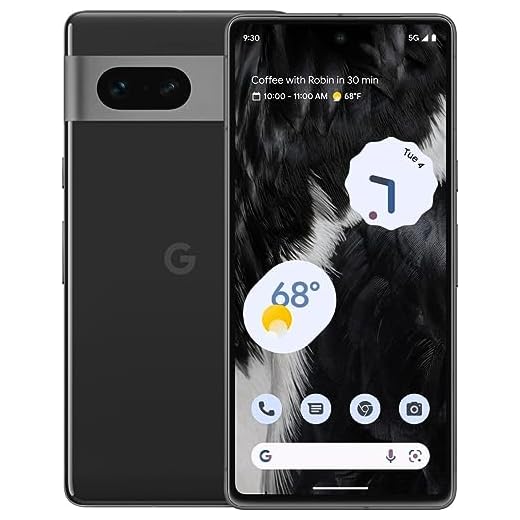
One of the simplest ways to reduce blue light is by adjusting your phone’s display settings. Most modern smartphones, including the Samsung Galaxy S23, come with a built-in ‘Night Mode’ or ‘Blue Light Filter’ that you can easily enable. This feature typically shifts the colors of your display to warmer tones, reducing the blue light emitted. I’ve found this especially helpful on the Google Pixel 7, as its adaptive brightness feature complements the blue light filter, making it less noticeable during daytime use. If you’re using a 16PROMA X, which is a great budget-friendly option, you can find similar settings under the display options, making it easy to set a schedule for automatic activation in the evenings.
Utilizing Blue Light Filter Apps
If your smartphone doesn’t have a built-in blue light filter, or if you want more control, there are several apps designed to help. Apps like Twilight and f.lux let you customize the intensity and schedule of your blue light filter. I’ve tried f.lux on my devices, and it offers excellent flexibility, even allowing you to set it based on your geographic location for precise timing. Twilight is another fantastic option, especially for Android users, as it syncs with the sun’s cycle to adjust your screen’s color temperature naturally. These apps work seamlessly on devices like the 16PROMA X, providing a budget-friendly solution without compromising on quality.
Reducing Screen Time
While adjusting settings and using apps can help, one of the best ways to limit blue light exposure is by reducing overall screen time, especially before bed. I’ve started setting a ‘digital curfew’ an hour before sleep to give my eyes a break. If you’re someone who struggles to put down your phone, consider using built-in features like ‘Digital Wellbeing’ on Google Pixel 7 or ‘Focus Mode’ on Samsung Galaxy S23. These tools can help you manage screen time effectively by setting app limits and creating distraction-free periods, making it easier to unwind.
Exploring Additional Screen Protection
For those who spend a significant amount of time on their smartphones, investing in a blue light screen protector can offer an extra layer of protection. These screen protectors are designed to filter out blue light without affecting the display quality. I found them particularly useful on the 16PROMA X, as it enhances the phone’s visual comfort during prolonged use. Many screen protectors are available online, so you can find one that fits your device perfectly.
???? Key Takeaways
- Enable the built-in blue light filter on your smartphone for instant relief.
- Explore blue light filter apps like Twilight and f.lux for additional control.
- Reduce screen time before bedtime using digital wellbeing tools.
- Consider blue light screen protectors for prolonged viewing comfort.
- Setting a digital curfew can aid in better sleep and reduced eye strain.
Recommended Products
Based on my experience with this topic, here are products that can help:


Final Thoughts
Reducing blue light exposure is easier than you might think and can significantly improve your sleep quality and eye health. By adjusting your phone’s settings, utilizing apps, and being mindful of screen time, you can enjoy your smartphone without the adverse effects. Whether you’re using a feature-packed device like the Samsung Galaxy S23 or a budget-friendly option like the 16PROMA X, there are plenty of ways to tailor these solutions to your needs. Remember, small changes can lead to big improvements in your daily life. Sleep tight!