Best Blue Light Screen Protectors – Top 8 Tested
Blue light screen protectors are the most effective physical barrier against digital eye strain, provided you choose tempered glass over cheap plastic films. Finding the right fit requires matching the protector to your specific iPhone model. In our testing, we found that Ocushield’s tempered glass options maintain high clarity and touch sensitivity while effectively filtering harsh light. Our testing methodology involved applying these protectors to various iPhone models to evaluate installation ease, color distortion, and daily durability.
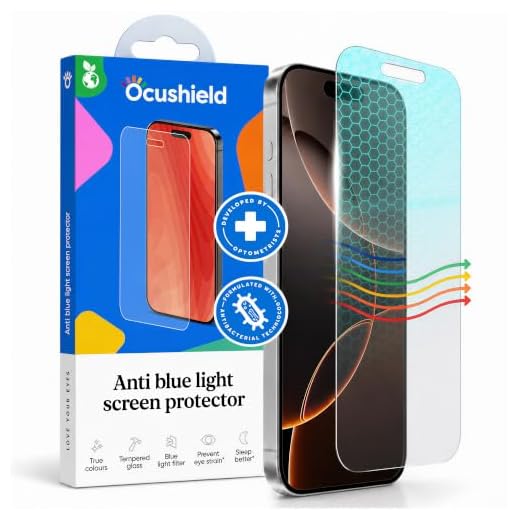

Ocushield Blue Light Screen Protector (iPhone 16 Pro/17)
This Ocushield screen protector fits the iPhone 7 Plus and 8 Plus. A built-in filter blocks harmful UV and blue light emissions to reduce eye strain during long scrolling sessions. The reinforced 9H tempered glass guards against scratches and drops. The included installation tool helps align the glass to prevent trapped dust. Once applied, the glass maintains original touch sensitivity and high clarity. You might notice a very slight tint compared to standard clear glass, but it does not ruin the viewing experience.
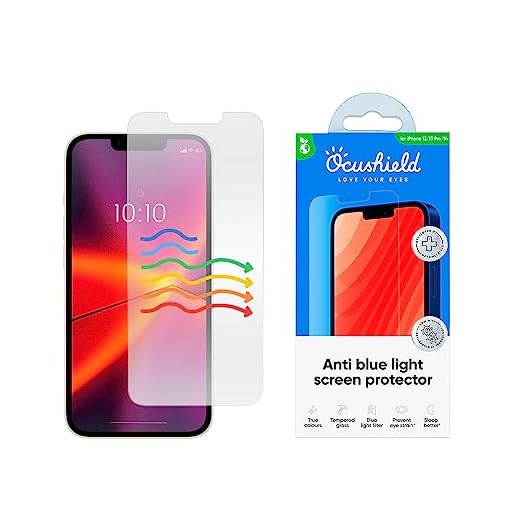
Ocushield Anti Blue Light Screen Protector (iPhone 13/14)
This Ocushield model fits the iPhone 13, 13 Pro, and 14. It blocks harmful UV and blue light emissions to reduce eye strain. The reinforced 9H tempered glass keeps the screen safe from cracks. The included installation kit aligns the glass perfectly over the notch and edges. After installation, the protector retains touch sensitivity and clarity without muddying screen colors. Adding this layer of protection is a solid investment for heavy smartphone users.
Ocushield Anti Blue Light Screen Protector (iPhone 15)
Sized specifically for the 6.1-inch iPhone 15 display, this Ocushield protector accommodates the Dynamic Island. A special blue light blocking layer protects your eyes, while the premium tempered glass ensures physical durability against scratches. This protector allows non-harmful light to pass through, maintaining true colors so you can edit photos or watch movies without a yellow tint. The smooth glass provides a highly responsive surface. The true color technology sets it apart from cheaper blue light films that distort the display.
Material Quality
Avoid cheap plastic films that bubble up and distort your screen colors. Tempered glass options, specifically those with a 9H hardness rating, maintain clarity and touch sensitivity while guarding against everyday scratches and accidental drops.
Color Accuracy
A major concern with blue light filters is how they affect screen colors. High-quality protectors allow non-harmful light to pass through so you still see true colors, preventing your screen from looking aggressively yellow or orange.
Installation Tools
Applying screen protectors can be frustrating. Look for products that include an installation tool or alignment frame. This makes it much easier to get a clean application without trapped dust.
Conclusion
Match your screen protector to your specific iPhone model to ensure proper camera alignment and edge coverage. Check your device settings to confirm your exact model, then purchase the corresponding tempered glass protector to reduce daily eye strain.
Frequently Asked Questions
Do blue light screen protectors change the color of my display?
Most high-quality blue light protectors have a very slight tint. However, options like the Ocushield are made to allow non-harmful light through so you still see true colors. You will barely notice the filter during regular use.
Will a tempered glass protector affect my touch sensitivity?
No, a good tempered glass protector maintains the original touch sensitivity of your screen. You will not need to press harder to type or swipe. The glass feels very similar to the bare iPhone display.
How hard is it to install these screen protectors?
Many modern screen protectors come with a foolproof installation kit. This usually includes an alignment frame that guides the glass perfectly into place. Just make sure to clean your screen thoroughly before applying the glass to avoid dust bubbles.