Lower back pain and tight hamstrings will eventually force you out of a cheap office chair. You want to buy a standing desk to fix your posture and get more movement, but the market is flooded with identical-looking tables priced anywhere from $150 to $1,500.
Picking the wrong desk leads to a wobbly monitor, frustrating height adjustments, and a piece of furniture you end up using as an expensive traditional desk. You need to match the desk mechanics, size, and weight capacity to your exact physical dimensions and daily work habits.
This guide walks you through the exact specifications you need to evaluate before buying a standing desk. You will learn how to measure your space, decide between manual and electric motors, and pick a frame that stays rock-solid while you type at full height.
Determine Your Ideal Desk Height Range
Your standing desk must match your specific body mechanics to prevent neck and shoulder strain. To find your ideal sitting height, sit in your desk chair with your feet flat on the floor and measure the distance from the floor to the bottom of your bent elbow. Do the exact same thing while standing in your typical work shoes to find your maximum standing height.
Most standard standing desks adjust from 28 inches to 47 inches. If you are shorter than five foot four, you need a desk that drops down to 22 or 24 inches so you can sit ergonomically. If you are taller than six foot two, look for extended-range frames that reach at least 49 inches to keep your forearms parallel to the floor while standing.
Decide Between Electric and Manual Frames
Manual crank desks cost less and do not require a nearby power outlet. You can place them in the middle of a room without tripping over heavy power cords. However, hand-cranking a desk takes about twenty to thirty seconds of physical effort. Most people get tired of the manual labor after a few weeks and leave the desk in one position permanently.
Electric standing desks move from sitting to standing in ten seconds with a single button press. Dual-motor electric desks offer smoother transitions and carry more weight than single-motor options. If your budget allows, prioritize an electric frame with programmable memory presets. Presets let you save your exact sitting and standing measurements so you never have to guess the correct height.
Calculate Your Required Desktop Size
A standing desk requires more lateral stability than a traditional static desk. Measure your available floor space and leave at least two inches of clearance on all sides so the moving desktop does not scrape your walls. The standard desktop size is 48 inches wide by 30 inches deep, which easily holds one laptop and one external monitor.
If you use dual 27-inch monitors, studio monitors, or a large drafting tablet, step up to a 60-inch or 72-inch width. Pay close attention to the desk depth. A 24-inch depth pushes your screens too close to your face and leaves zero room for your keyboard tray. Always aim for a minimum depth of 30 inches to protect your eyesight and maintain proper wrist support.
Evaluate Weight Capacity and Motor Lifting Power
An overloaded standing desk will burn out its motors quickly and struggle to lift your equipment. Add up the weight of everything you plan to put on the desk. A standard setup with two monitors, a heavy-duty monitor arm, a mechanical keyboard, a PC tower, and thick solid wood desktop can easily exceed 150 pounds.
Budget electric desks usually max out around 110 to 150 pounds of lifting capacity. Look for a desk with a minimum weight capacity of 220 pounds. High-end models from brands like Uplift or Fully often support up to 350 pounds. A higher weight capacity generally means heavier frame materials, which translates to a much more stable desk at its maximum standing height.
Check for Maximum Height Stability and Wobble
Desktop wobble is the most annoying flaw a standing desk can have. When you raise a desk past 40 inches, the legs overlap less, creating a lever effect that magnifies every keystroke into screen shake. Check product reviews specifically for stability at your required standing height. A desk that feels solid at 30 inches might sway like a boat at 45 inches.
To minimize wobble, buy a desk with thick steel columns and heavy feet. Desks with a traditional crossbar connecting the two legs near the floor or middle of the frame offer the best lateral stability. Wedge designs at the top of the columns also help reduce front-to-back rocking. Heavier desktops, like solid walnut or butcher block, also anchor the frame better than lightweight particleboard.
Understand Single vs. Dual Motor Systems
Single-motor electric desks house one motor under the desktop and use a long metal hex rod to spin the gears in both legs simultaneously. These models cost less but move slower and make a loud grinding noise as the gears turn. The exposed rod can also get in the way of cable management trays or under-desk storage drawers, limiting your organization options.
Dual-motor desks place a hidden motor inside each leg column. They operate much quieter, usually humming at around 50 decibels. Dual motors lift heavier loads with ease and adjust at speeds up to 1.5 inches per second. If you share a workspace or work in a bedroom, the silent and fast operation of a dual-motor desk justifies the higher price tag.
Pick the Right Desktop Material
High-pressure laminate serves as the standard desktop material for most mid-range standing desks. It resists scratches, repels water, and comes in dozens of colors to match your office decor. Bamboo offers a sustainable, lightweight alternative with an attractive natural grain, though it dents more easily than laminate if you drop heavy objects like metal water bottles on it.
Solid wood desktops cost a premium but provide maximum durability and a high-end look. Options like oak, maple, or walnut can last decades and you can sand and refinish them if they get damaged. Avoid cheap particleboard desktops covered in thin vinyl wrapping. The vinyl peels at the edges over time and the particleboard sags in the middle under the weight of heavy monitor mounts.
Plan for Cable Management and Accessories
A standing desk requires longer cables than a static desk. Your power cords and display cables must reach the wall outlet and PC tower even when the desk sits at its maximum 47-inch height. Without proper cable management, the moving frame will rip cords out of your monitors or knock over your electronics during a height adjustment.
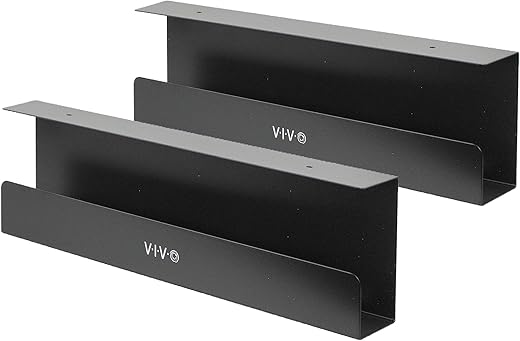
Buy a desk that includes a large cable management tray mounted to the underside of the desktop. Route all your device cables into a power strip mounted inside this tray. This setup means only one single power cord runs from the desk to your wall outlet. You can also add a snake-style cable spine to keep that single cord tidy as the desk moves up and down.
Quick Tips
- Buy an anti-fatigue mat right away. Standing on hard floors for over an hour will cause heel pain and force you back into your chair.
- Mount your PC tower under the desk using a CPU holder bracket. This prevents your display cables from stretching when you raise the desk.
- Look for desks with an anti-collision sensor. This stops the motors if the desk hits a filing cabinet or your chair while lowering.
- Set a timer to switch between sitting and standing every 45 minutes. Your body needs movement rather than prolonged static standing.
- Keep a dedicated pair of supportive running shoes at your desk if you work from home to cushion your feet while standing.
Frequently Asked Questions
Buying a standing desk requires precise measurements of both your physical body and your office space. Prioritize a dual-motor electric frame with programmable presets, a minimum 30-inch depth, and a weight capacity that easily handles your entire tech setup.
A high-quality standing desk fixes your seated posture and builds more movement into your workday. Take fifteen minutes right now with a tape measure to determine your ideal sit-stand heights and map out your floor space before you start clicking add to cart.