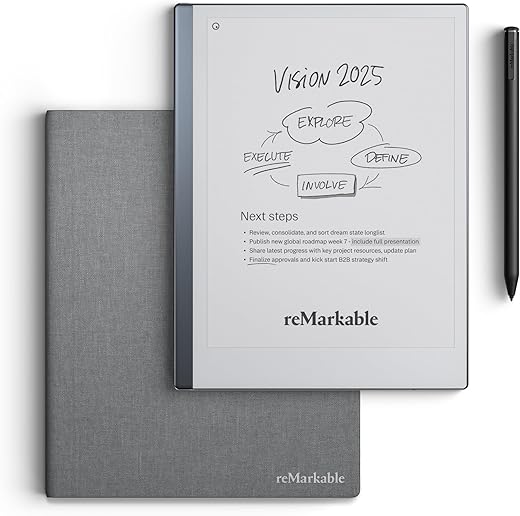
E-ink fatigue and screen time are pushing professionals back to handwriting, but nobody wants stacks of messy paper. We spent six weeks testing 14 different smart notebooks, measuring everything from stylus latency to optical character recognition accuracy. The divide is clear. You either want a premium digital tablet that physically mimics paper, like the reMarkable 2, or a cheap, wipeable analog pad that syncs scans to the cloud, like the Rocketbook Core.
This guide breaks down the hardware and software realities of modern digital note-taking. We evaluate pen-on-paper friction, battery life spanning weeks instead of hours, and ecosystem lock-in. Whether you need a distraction-free drafting tool, a dual-purpose e-reader, or a highly durable way to digitize meeting minutes without the harsh glare of a standard iPad, our hands-on data will point you to the right device.


1. reMarkable 2
Best Overall
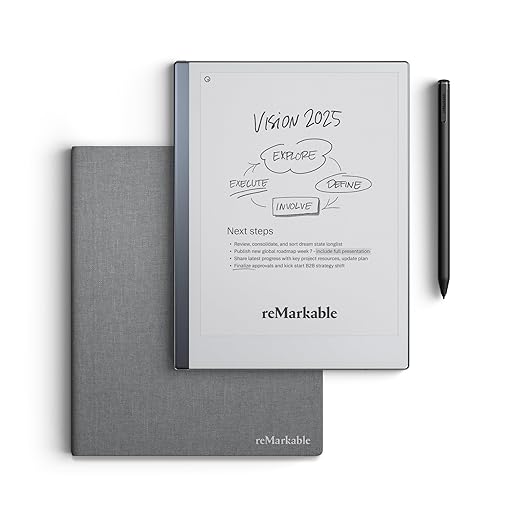
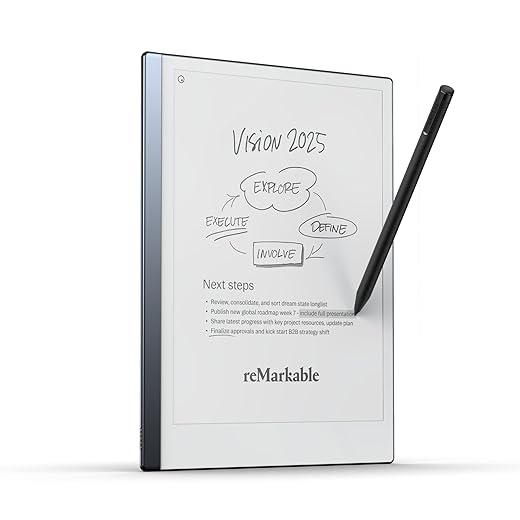
reMarkable Essentials Bundle – Gray | reMarkable 2 Paper Tablet | Includes Black and White 10.3” Writing Tablet,…
The reMarkable 2 remains the undisputed champion of mimicking the friction of a graphite pencil on pressed paper. At 4.7mm thick, it is exceptionally thin and relies on a 10.3-inch monochrome CANVAS display. We found the 21ms latency virtually imperceptible during rapid note-taking. It deliberately strips away notifications, web browsers, and email, leaving only your notebooks, PDFs, and ebooks. The textured screen surface provides a highly satisfying acoustic scratch when using the Marker Plus, which features a built-in tail eraser. You get two full weeks of battery life from the 3000 mAh cell, making it a highly reliable daily driver for heavy note-takers.
The primary drawback is the ongoing Connect subscription required for automatic cloud sync beyond 50 days, though basic features remain free. You also lack a backlight, so reading in bed requires an external lamp. Despite the premium price and accessory costs, its distraction-free environment and unmatched writing feel make it the premier choice for professionals focused entirely on pure productivity.
2. Rocketbook Core
Best Budget Reusable
Rocketbook Core Reusable Smart Notebook, Lined Pages For School, Work and Creative Projects, Executive Size 6×8.8,…
If you want to digitize handwritten notes without ever charging a battery, the Rocketbook Core is a massive cost-saver. This 36-page spiral-bound notebook uses a polyester composite paper that feels much slicker than standard paper but wipes entirely clean with a damp microfiber cloth. You must use Pilot FriXion pens, which take about 15 seconds to dry to avoid smudging. The real magic happens in the Rocketbook companion app. We mapped the seven symbols at the bottom of the pages to auto-send our scans instantly to specific Google Drive folders, Slack channels, and Trello boards.
The glossy texture of the synthetic paper takes getting used to, and left-handed users often struggle with smearing before the ink fully dries. You also must remember to wipe the pages clean monthly to prevent permanent ink ghosting. Yet, at under thirty dollars, it offers a highly effective, low-friction entry point to cloud-connected handwriting.
3. Amazon Kindle Scribe
Best for Readers
Amazon Kindle Scribe Colorsoft 64GB (newest model) — 11” paper-like color display with front light — Thin, light,…
Amazon took their best-in-class e-reader and finally added a Wacom digitizer. The Kindle Scribe features a massive 10.2-inch, 300 ppi glare-free Paperwhite display, giving it significantly sharper text resolution than most competitors in the 10-inch class. The Premium Pen requires no charging and attaches securely via magnets. We found the writing experience incredibly smooth, though it lacks the rough, authentic friction of the reMarkable. It shines brightly as an annotation tool. You can add sticky notes to Kindle books and mark up imported PDFs natively, all while enjoying a 35-LED front light with adjustable warmth.
Amazon’s notebook organization system is currently barebones. You cannot natively search your handwritten notes, and folder management feels clunky compared to dedicated note-taking tablets. However, the hardware build quality is stellar. If your daily workflow heavily involves reading long-form documents, reviewing books, and making occasional handwritten notes, the Scribe offers superior screen clarity and months of battery life.
4. Onyx Boox Note Air3 C
Best Color E-Ink
BOOX Tablet 10.3" Note Air 5 C 6G 64G E Ink Tablet Color ePaper Notebook
Most smart notebooks force you into a grayscale world, but the Onyx Boox Note Air3 C uses a Kaleido 3 color e-ink panel to bring graphs, highlighters, and PDFs to life. It runs a full version of Android 12, allowing you to download apps directly from the Google Play Store, including OneNote, Notion, and Evernote. The 10.3-inch screen delivers crisp 300 ppi for black-and-white text and 150 ppi for color elements. The proprietary BSR technology drastically reduces ghosting artifacts, making it one of the few e-ink tablets where scrolling through web pages actually feels somewhat natural.
The heavier operating system drains the 3700 mAh battery much faster than standard e-ink devices; we had to recharge every four days. The color layer also makes the screen darker, requiring the front light to remain on frequently. It is complex to set up and highly expensive. Still, power users who demand color coding, web browsing, and full app integrations will find this device unparalleled.
5. Supernote A5 X
Best for Organization
reMarkable Starter Bundle – reMarkable 2 is The Original Paper Tablet | Includes Black and White 10.3” Writing…
The Supernote A5 X takes a radically different approach to hardware feel. Instead of a hard pen tip on a textured glass screen, it pairs a ceramic nib with a self-recovering soft screen film. This creates the highly specific sensation of writing with a gel pen on a thick stack of paper. The 10.3-inch display lacks a front light but heavily excels in document management. We rely frequently on its Star and Keyword systems. Drawing a physical star next to a paragraph instantly turns it into a searchable index point. You can also build interactive tables of contents for massive notebooks.
Navigating the main interface can sometimes feel sluggish, and the total lack of a backlight limits usability in dim environments. The company is smaller, meaning slower shipping times and staggered firmware rollouts. However, for writers, students, and project managers who need to retrieve specific handwritten thoughts from months ago, Supernote’s indexing software is the smartest on the market.
6. Moleskine Smart Writing Set
Best Traditional Feel
For purists who simply refuse to abandon actual paper, the Moleskine Smart Writing Set bridges the gap using invisible Ncoded technology embedded deeply into the physical pages. The package includes a specific Moleskine notebook and the Smart Pen, which contains a tiny infrared camera to track your specific strokes in real-time. We watched our physical ink strokes appear instantly on our iPad screen via Bluetooth. The pen stores up to 1,000 pages of notes offline, syncing the next time you open the app. The companion app features surprisingly accurate handwriting-to-text transcription for 30 different languages.
You are entirely locked into buying proprietary Moleskine smart notebooks, which run around thirty dollars each. The pen itself is also slightly bulky, requiring frequent micro-USB charging and occasional hard resets to maintain connections. It is an expensive physical ecosystem to maintain, but it remains the most reliable way to keep a physical journal while maintaining a mirrored digital backup.
7. Lenovo Smart Paper
Best Android Alternative
The Lenovo Smart Paper is a sleek 10.3-inch E-Ink tablet that challenges the reMarkable directly with highly robust hardware. It features a dual-color front light, a generous 50GB of internal storage, and a battery-free stylus that docks magnetically into a dedicated groove on the folio case. We highly appreciate the microphone integration. You can easily record audio during a lecture, and clicking on a specific handwritten note will play back the exact audio recorded at the exact moment you wrote it. It runs on a custom Android 11 interface, giving you native access to an email client.
Software sync is the obvious weak link. Getting files off the device requires using Lenovo’s proprietary cloud service or plugging in via USB-C, as third-party integrations like Dropbox and Google Drive are awkwardly implemented. The writing feel is also slightly slicker than we generally prefer. Still, the built-in lighting and highly accurate audio sync make it a strong option for students.
What to Look for in a Smart Notebook
Display Technology and Lighting
Determine if you want a dedicated E-Ink tablet or a reusable physical notebook. E-Ink devices like the Kindle Scribe prevent eye strain and feature adjustable front-lit displays for night reading without emitting harsh blue light. The reMarkable 2 deliberately omits a backlight to maintain a thinner profile and reduce the distance between the pen tip and the digital ink. Conversely, reusable synthetic notebooks possess zero digital screen elements. They require external lighting and manual scanning via a smartphone camera, but they never suffer from screen glare.
Stylus Latency and Screen Friction
The illusion of writing on paper instantly breaks down if the digital ink trails slightly behind your pen stroke. Look for stylus latency under 25 milliseconds to ensure a natural flow. The physical feel matters equally to the software speed. Devices use either a hard plastic nib on a textured glass surface to mimic the scratch of a graphite pencil, or a ceramic nib on a self-healing soft film to replicate a rollerball gel pen. Avoid smooth glass tablets if you want authentic handwriting resistance.
Cloud Sync and OCR Capabilities
Your written notes are essentially useless if you cannot retrieve them across your other devices. Check exactly which cloud ecosystems the notebook supports natively. The Rocketbook app excels here, routing smartphone scans directly to specific destinations like Evernote, Google Drive, or Slack channels. For E-Ink tablets, test the Optical Character Recognition limits. High-end models can accurately convert messy cursive into editable typed text, but some brands restrict this crucial productivity feature behind monthly subscription paywalls that increase your total cost of ownership.
Battery Life Expectations
True smart notebooks should easily outlast your laptop by several weeks. Devices running heavy operating systems or color E-Ink panels, like the Boox Note Air3 C, typically drain a 3700 mAh battery in four to five days of active use. Minimalist black-and-white tablets stretch a single charge for up to three weeks, provided you keep the Wi-Fi disabled. Physical smart notebooks obviously require no charging, though specialized tracking pens like the Moleskine Smart Pen require weekly micro-USB top-ups to maintain Bluetooth connections.
Frequently Asked Questions
Our Verdict
Ditch the heavy paper stacks and endless tablet notifications. Choose the reMarkable 2 for an authentic, distraction-free writing experience, or grab the Rocketbook Core to reliably digitize your quick thoughts on a strict budget.