Unfiltered screen glare actively degrades your vision and productivity, but the right matte screen protector instantly neutralizes harsh reflections to eliminate eye strain. In our testing, we found that adding a high-quality anti-glare layer scatters reflected light before it reaches your eyes, making text significantly easier to read under bright overhead lights. We evaluated several options to find the best anti-glare screen protectors for eye strain relief across different devices. The Spigen PaperTouch Tempered Glass Screen Protector offers an exceptional solution for tablet users who draw, while the Kensington MagPro Magnetic Laptop Privacy Screen provides quick attachment for laptop users.
Selecting the correct film comes down to your device and daily environment. Some films are built specifically to mimic the feel of paper for stylus users, while others focus entirely on privacy and glare reduction for office workers under fluorescent lighting. You also need to consider the installation process, as some options use messy adhesives while others rely on simple magnetic strips. We will walk you through the top choices to help you find the exact fit for your daily routine.
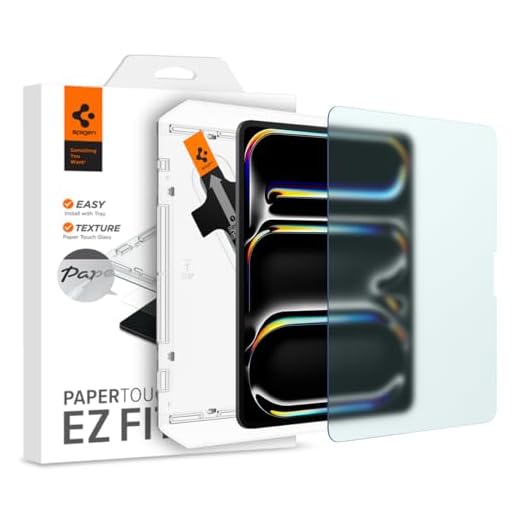

Spigen PaperTouch Tempered Glass Screen Protector
The Spigen PaperTouch Tempered Glass Screen Protector is built specifically for tablet users who want both screen protection and a better drawing experience. It combines the tough durability of tempered glass with a specialized matte surface. This makes it an excellent choice for digital artists and note-takers who spend hours looking at their screens. The textured finish gives you the physical feedback of real paper. It is a highly practical option for anyone who finds glossy tablet screens too slippery for precise stylus work.
Spigen rates this tempered glass at 9H hardness to defend against daily scratches and impacts. The matte finish actively reduces screen glare when you are viewing content in bright rooms. You get a surface that illustrates like paper to give you much better pen control during detailed work. The company also guarantees touch-responsiveness so you will not experience any annoying delays or missed inputs. Installation is handled by an included auto-alignment tool that takes the guesswork out of lining up the glass.
This protector stands out from standard plastic films because it offers the actual impact protection of tempered glass. While the Tech Armor option provides a similar paper feel, the Spigen model gives you much more confidence against drops. The auto-alignment tray also makes it significantly easier to apply than freehand film protectors. It is the ideal pick if you want to reduce eye strain without sacrificing the safety of your expensive tablet display. You get the best of both worlds in a single package.
Tech Armor Anti-Glare Film Screen Protector (2-Pack)
The Tech Armor Anti-Glare Screen Protector caters to iPad Pro users who want a natural drawing surface. It features a specialized matte finish that cuts down on harsh reflections from overhead lighting. This makes it a solid choice for students and professionals who read or sketch on their tablets for extended periods. The textured surface mimics the drag of real paper to help you control your stylus. It is a great everyday shield for people who prioritize a comfortable viewing and writing experience.
The anti-glare matte finish provides a natural paper-like feel that is great for drawing and writing. Despite adding a protective layer, the design maintains the original touch sensitivity of your display. The manufacturer includes an easy installation kit with everything needed to ensure a bubble-free application. The product details also mention a tempered glass construction that provides maximum protection against scratches. It is specifically compatible with a variety of iPad Pro models including the 11 inch M2 version.
Compared to the Spigen model, this Tech Armor protector focuses heavily on providing a complete installation kit for a smooth setup. It is a highly specific fit for the 11-inch iPad Pro, making it less versatile than universal options but great for that exact device. The anti-fingerprint properties help keep your screen looking clean even after hours of touch usage. If you want a dedicated matte surface that feels like paper and stops glare, this is a very reliable choice. It balances daily scratch defense with excellent eye strain relief.
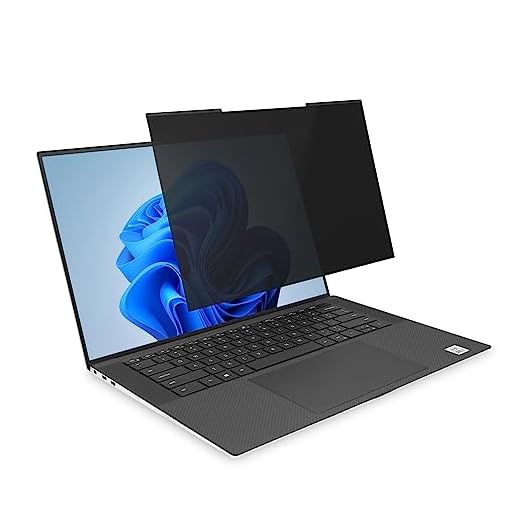
Kensington MagPro Magnetic Laptop Privacy Screen (14-inch)
The Kensington MagPro Magnetic Laptop Privacy Screen is a dual-purpose accessory for 14-inch laptops. It is built for professionals who frequently work in public spaces or brightly lit offices. The design focuses on keeping your on-screen data hidden from wandering eyes while also easing the strain on your own eyes. You can easily attach and remove the screen depending on your current environment. It is an excellent tool for business travelers who need flexibility and comfort on the go.
This filter features a patented design with a slim magnetic strip that allows for quick and easy attachment. It narrows the field of vision to plus or minus 30 degrees to keep your information private. The screen offers reversible viewing options, and one side features a matte finish to maximize glare reduction. This matte side also helps reduce traces of fingerprints during daily handling. The design allows for unobstructed viewing, making it an excellent solution for laptops with slim bezels or edge-to-edge displays.
Unlike the adhesive tablet protectors on this list, the Kensington MagPro is completely removable and reusable. You can snap it on when you are working under harsh cafe lights and take it off when you are watching a movie at home. It is specifically sized for 14-inch screens with a 16:10 aspect ratio, so you need to verify your laptop dimensions before buying. This is the best option for users who want glare reduction without committing to a permanent screen modification. It offers a highly practical mix of privacy and visual comfort.
The Moshi iVisor AG Anti-glare Screen Protector is custom-made for the MacBook Pro 16-inch. It targets creative professionals and heavy computer users who suffer from eye fatigue during long editing sessions. The protector uses a specialized construction to soften harsh light without ruining the beautiful color accuracy of the MacBook display. It is built to be incredibly user-friendly for people who hate dealing with sticky adhesives. This makes it a premium choice for anyone who wants a flawless, glare-free laptop screen.
Moshi uses a new multi-layer construction that features incredible clarity while actively reducing glare to protect your eyes. The design ensures an exact fit that aligns exactly with the MacBook Pro 16-inch from 2021 to 2023. You can install it in seconds, and the company guarantees a completely bubble-proof application. It is also an eco-friendly option because the protector can be washed and reapplied repeatedly to ensure long-lasting cleanliness. All of this is backed by the brand’s impressive 10-year global warranty program.
The iVisor stands out from the Kensington privacy screen because it is meant to be a dedicated, long-term anti-glare solution rather than a temporary privacy filter. The ability to wash and reapply the protector gives it a much longer lifespan than traditional plastic films. It is strictly limited to specific 16-inch MacBook Pro models, so it will not work for other laptops. If you own the compatible MacBook and want a bubble-free installation, this is arguably the easiest protector to apply. It delivers excellent eye comfort with zero installation frustration.
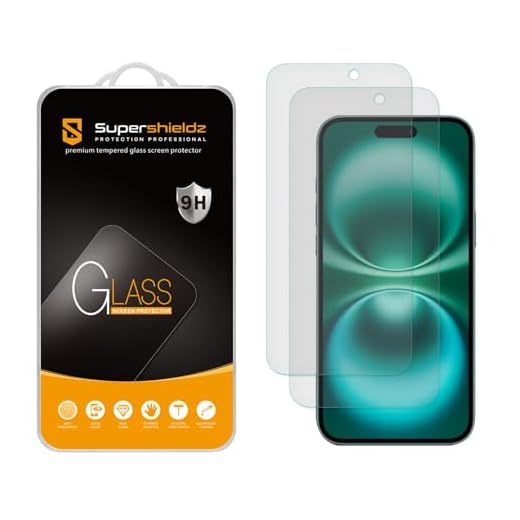
Supershieldz Anti-Glare Glass for iPhone 15/16 (2-Pack)
The Supershieldz Anti Glare Screen Protector caters to smartphone users who are tired of squinting at their screens while walking outdoors or sitting under bright office lights. The matte finish cuts down on the harsh reflections that make reading text messages difficult in direct sunlight. It is a highly practical accessory for anyone who uses their phone constantly throughout the day. This two-pack ensures you always have a backup ready if your first protector gets damaged.
This protector features a dedicated anti-glare matte finish that significantly reduces eye strain in bright environments. The film is precision-cut to fit the exact dimensions of the latest iPhone models. It provides a smooth surface that resists daily fingerprint smudges and keeps your screen looking clean. The material guards your phone against everyday scratches and minor scuffs from keys or coins in your pocket. You get two protectors in the package, which adds excellent long-term value to your purchase.
While the other products on this list focus on tablets and laptops, Supershieldz provides a much-needed solution for mobile phones. It does not offer the heavy-duty drop protection of tempered glass, but it excels at glare reduction and scratch defense. The matte texture also makes swiping and scrolling feel incredibly smooth compared to a glossy glass screen. It is the ideal choice for iPhone owners who want to read comfortably outdoors. Having a spare protector in the box makes it a very smart investment.
Understanding Anti-Glare Technology
Anti-glare screen protectors work by altering how light interacts with your device display. Standard glossy screens reflect light directly back into your eyes like a mirror. This direct reflection causes you to squint and strains your eye muscles over time. Matte protectors feature a microscopic rough texture that scatters incoming light in multiple directions. This scattering effect diffuses the harshness of the light and makes the screen much easier to view.
The primary benefit of this technology is a significant reduction in eye fatigue during long work sessions. When you eliminate harsh reflections, your eyes do not have to constantly adjust to different light intensities. This can help prevent the headaches and dry eyes associated with prolonged screen time. It is especially helpful in office environments with bright fluorescent overhead lighting. You will find that reading text documents and browsing websites becomes a much more comfortable experience.
However, it is important to understand the visual trade-offs of using a matte screen protector. Because the surface scatters light, it can slightly reduce the overall sharpness and color vibrancy of your display. High-resolution images might look a tiny bit softer than they do on a bare glossy screen. Most users find that the massive improvement in eye comfort easily outweighs this minor drop in clarity. It is a practical compromise for anyone who prioritizes their physical well-being over flawless pixel sharpness.
Material Types and Durability
Screen protectors generally come in two main materials, which are plastic film and tempered glass. Plastic films are incredibly thin and flexible, making them very difficult to notice once applied. They are excellent at resisting scratches from fingernails and stylus pens during daily use. However, plastic films do not provide much protection against heavy impacts or drops. They are best suited for users who are careful with their devices and primarily want glare reduction.
Tempered glass protectors offer a much higher level of physical defense for your expensive electronics. These protectors are treated with heat and chemicals to make them significantly harder than standard glass. If you drop your device, the tempered glass is built to absorb the impact and shatter instead of your actual screen. Manufacturers can apply a matte anti-glare coating directly to the surface of the tempered glass. This gives you the best combination of eye strain relief and heavy-duty drop protection.
Your choice of material will also dictate how the screen feels when you touch it. Matte plastic films often have a distinct texture that mimics the drag and friction of real paper. This makes them incredibly popular with digital artists and people who take handwritten notes on their tablets. Tempered glass usually feels smoother and closer to the original screen, even with a matte coating applied. You should base your decision on whether you value drop protection, stylus control, or pure visual comfort.
Installation Methods and Challenges
Applying a screen protector can be a frustrating experience if you are not prepared for the process. The most common issue people face is trapping dust particles or air bubbles underneath the adhesive layer. To avoid this, you must clean your screen thoroughly in a dust-free environment before you begin. Many people prefer to install their protectors in a steamy bathroom, as the humidity helps pull dust out of the air. Taking your time during the cleaning phase is the most critical step for a flawless application.
Manufacturers have developed several clever tools to make the installation process much easier for the average person. Many high-quality protectors now come with plastic alignment frames that snap over your device. These frames guide the protector exactly into place so you do not have to guess the alignment freehand. Other brands use a hinge method with stickers to keep the film exactly positioned before you remove the backing. These included kits take a lot of the stress out of applying a permanent adhesive protector.
If you absolutely hate dealing with adhesives, there are alternative installation methods available for certain devices. Magnetic privacy and anti-glare screens are very popular for laptops and desktop monitors. These screens attach to the bezel of your device using slim magnetic strips, allowing you to remove them instantly. Washable and reusable protectors are also becoming more common, giving you multiple chances to get the alignment right. These removable options are great for people who only need glare reduction in specific lighting conditions.
Device Compatibility and Sizing
Finding the correct size for your screen protector is absolutely crucial for it to function properly. You cannot simply buy a generic protector based on the diagonal measurement of your screen. Different devices have different aspect ratios, bezel sizes, and camera placements that require precise cutouts. A protector built for an older generation tablet will likely cover the front-facing camera of a newer model. You must always verify the exact model number and release year of your device before making a purchase.
Laptop screens present their own unique sizing challenges due to the massive variety of designs on the market. Some laptops have edge-to-edge glass displays, while others have raised plastic bezels around the screen. Magnetic protectors require a specific amount of flat space on the bezel to attach securely. If you buy a protector that is even a few millimeters too large, it will not sit flat against the display. Measuring your laptop screen width and height manually is the safest way to ensure a proper fit.
Smartphone protectors require extreme precision because of curved screen edges and complex sensor arrays. Many modern phones have slight curves at the edges of the glass that rigid protectors cannot adhere to properly. Manufacturers often cut their protectors slightly smaller than the actual glass to prevent the edges from lifting over time. This is known as a case-friendly design, as it leaves enough room for a protective phone case to wrap around the edges. Understanding these sizing quirks will help you avoid disappointment when your new anti-glare protector arrives.
Final Verdict
A quality anti-glare screen protector instantly reduces eye strain and improves daily comfort. Measure your device screen carefully, choose between tempered glass or matte film based on your drop protection needs, and order your preferred protector today.