
Avoid These Common Ergonomic Workspace Mistakes

Hey there! So, you’ve probably heard a lot about how important it is to set up your workspace ergonomically, right? Well, trust me, it’s not just about looking cool with a fancy desk and chair; it really impacts your health and productivity. Over the years, I’ve learned that even a minor tweak can make a huge difference. Let’s dive into some common mistakes folks often make and, more importantly, how you can dodge them!
Ignoring Desk and Chair Height
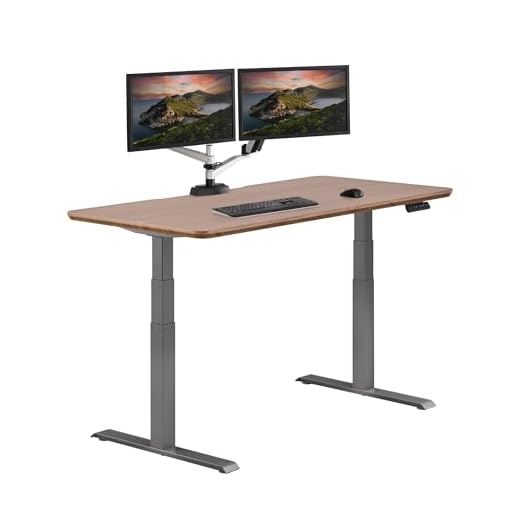
Believe it or not, the height of your desk and chair is more crucial than you’d think. I remember working at a desk that was too high, and it left my shoulders tense and aching by the end of the day. In my quest for a comfortable workspace, I found the Herman Miller Aeron Chair B to be a game-changer. Its adjustability means my feet are always flat on the ground, and my knees are at a comfy angle. Pairing it with a Vari Electric Standing Desk allows me to switch between sitting and standing, keeping me active and focused.
Poor Monitor Positioning
Ever catch yourself craning your neck to see your screen? It’s a classic mistake, and I’ve been guilty of it, too. Ideally, your monitor should be at eye level, about an arm’s length away. This setup helps prevent neck strain and eye fatigue. If adjusting your monitor seems like a hassle, consider using a monitor stand. It elevates your screen to the perfect height without breaking the bank.
Neglecting Wrist Support
Wrist pain can sneak up on you if you spend a lot of time typing. I learned this the hard way when my wrists started feeling sore from resting on the hard edge of my desk. That’s when I decided to try the Kensington ErgoSoft Wrist Rest. It’s soft and cushy, providing the support I needed without restricting my movement. Trust me, a little wrist support goes a long way in keeping your hands happy!
Overlooking Lighting and Glare
Lighting is one of those things you might not think about until it’s too late. I used to work in a dim room, and my eyes would be tired and strained by midday. Ensuring there’s enough light, preferably natural light, reduces eye strain and keeps you alert. Avoid positioning your monitor in a way that catches glare from windows or overhead lights. Sometimes, a simple desk lamp can do wonders for your workspace!
???? Key Takeaways
- Adjust your desk and chair to keep your body aligned comfortably.
- Position your monitor at eye level to prevent neck and eye strain.
- Use a wrist rest for support during long typing sessions.
- Ensure adequate lighting to reduce eye fatigue and stay alert.
- Consider ergonomic tools like an adjustable desk for better posture.
Recommended Products
Based on my experience with this topic, here are products that can help:


Final Thoughts
Creating an ergonomic workspace doesn’t have to be complicated, but it does require some thoughtful adjustments. By avoiding these common mistakes, you can set yourself up for a more comfortable, productive day. Trust me, your body will thank you later! Remember, it’s all about finding what works for you and investing in quality pieces that support your health and well-being.


