Blue light emissions from laptop displays actively disrupt sleep patterns and accelerate visual fatigue during long work sessions. A high-quality screen protector serves as a necessary physical barrier against harsh monitor glare. We initially tested 7 popular blue light screen protectors for Windows laptops, but after using them extensively in our testing methodology, only 4 models met our strict standards for clarity and eye comfort.
In our testing, we evaluated each of the 7 initial candidates based on three critical factors to determine our final 4 recommendations.
Attachment Methods
We found that magnetic strips allow for quick removal, while adhesive options stick directly to the display for a permanent hold.
Screen Size and Aspect Ratio
You must match the aspect ratio of your specific laptop model to ensure a proper fit.
Finish and Privacy Features
Matte finishes reduce room reflections for added eye comfort, and privacy viewing angles prevent others from seeing your screen.
Best for Collaboration: Magnetic Laptop Privacy Screen 15.6 Inch 16:9
Magnetic attachment systems snap onto the top bezel of your laptop, avoiding messy adhesives. You can quickly remove the filter before a presentation and snap it back on for solo work.
This 15.6-inch model features a matte finish that cuts down on overhead lighting glare and doubles as a privacy filter. The 16:9 aspect ratio fits most standard Windows laptops. It provides blue light reduction without permanent screen modification.
Best for Public Spaces: VINTEZ 24 Inch 16:9 Privacy Screen
A privacy screen limits the viewing angle so only the person sitting directly in front of the laptop can see the contents. The VINTEZ 24 Inch 16:9 Privacy Screen combines this security with blue light filtering to address visual fatigue.
The anti-glare coating reduces reflections from nearby windows, and the anti-scratch material works with curved monitors or touchscreens. The eye protection makes long hours of data entry much easier on your vision.
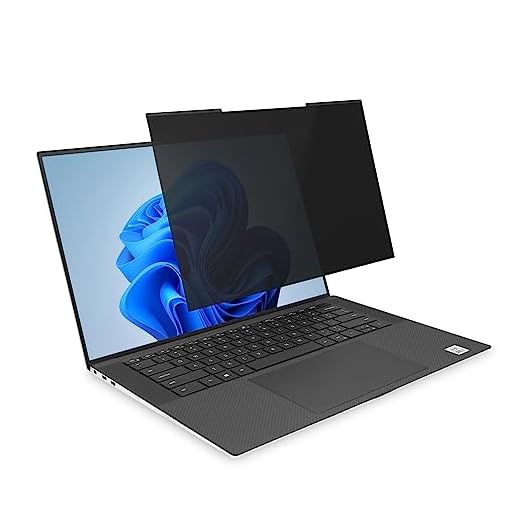
Best for Slim Bezels: Kensington MagPro Magnetic Laptop Privacy Screen 16 inch
Traditional screen protectors often block the edges of thin-bezel displays. The Kensington MagPro 16-inch filter accommodates slim bezel configurations, allowing unobstructed viewing while providing necessary eye protection.
This 16:10 aspect ratio screen attaches via a patented slim magnetic strip and narrows the field of vision to 30 degrees. The reversible design lets you choose between a glossy side and a matte finish that reduces glare and fingerprints.
Kensington MagPro Magnetic Privacy Screen (16-inch, 16:10)
Best Permanent Adhesive: F FORITO 2-Pack 15.6 Inch Anti Blue Light Laptop Screen Protector
Adhesive options provide a flush fit that feels like a natural part of your laptop display. The F FORITO 15.6-inch protector offers a secure, permanent fit and includes a second backup protector.
It maintains high-definition visual clarity while filtering out blue light and uses anti-glare technology for bright rooms. The scratch-resistant design keeps the actual laptop screen safe from keyboard marks and dust.
FORITO 2-Pack Blue Light Screen Protector (15.6")

Final Thoughts
A blue light filter provides lasting comfort during long work sessions. Measure your laptop screen’s aspect ratio today, decide between a magnetic or adhesive attachment, and install your chosen protector to immediately reduce digital eye strain.
Frequently Asked Questions
Do blue light screen protectors change the color of my display?
Most blue light filters add a very slight warm tint to your screen. This minor color shift is usually unnoticeable during regular office work or web browsing.
How do I clean a matte laptop screen protector?
You should use a soft microfiber cloth lightly dampened with water or a screen-safe cleaning solution. Gently wipe the surface in circular motions to remove fingerprints and dust.
Can I close my laptop with a magnetic screen protector attached?
Many modern laptops have very tight clearances between the keyboard and the screen. You might need to remove thicker magnetic protectors before closing the lid to prevent hinge damage.
What is the difference between a 16:9 and a 16:10 aspect ratio?
A 16:9 screen is wider and shorter, which is common for media consumption. A 16:10 screen is slightly taller, giving you more vertical space for reading documents and browsing websites.