Blue light from Dell laptop screens causes digital eye strain and disrupts sleep cycles. A physical screen filter is the most effective way to block these harmful wavelengths and protect your vision. In our testing, we found that applying a properly sized blue light filter immediately reduces eye fatigue during long work sessions. This guide covers the top screen protectors for Dell laptops, focusing on fit, clarity, and glare reduction.
Understanding Blue Light Filtering
Blue light sits at the highest energy end of the visible light spectrum, scattering easily and forcing your eyes to work harder. Prolonged exposure leads to digital eye strain, causing dry eyes, blurred vision, and tension headaches. A dedicated screen protector absorbs or reflects these specific wavelengths before they reach your eyes.
Measuring for the Correct Fit
Dell manufactures laptops in various screen sizes and aspect ratios. You must measure the viewable area of your screen diagonally to find the correct size. Do not include the plastic or metal bezel frame in your measurements unless the protector specifically requires it. Exact dimensions ensure the filter covers the active display area without hanging over the edges.
Installation and Adhesive Types
Applying a screen protector requires a clean environment. Always wipe down your Dell laptop screen with a microfiber cloth to remove dust and fingerprints first, as trapped debris creates air bubbles. Most protectors use a silicone adhesive that clings to the glass without leaving a sticky residue. You can push out small bubbles using a soft card wrapped in a cloth.
Physical Screen Protection
A blue light filter acts as a physical shield against everyday hazards. Keyboards often leave permanent marks on the screen when the laptop is closed tightly in a backpack. Adding a protective layer takes the brunt of this damage, preventing accidental finger pokes and flying debris from scratching the delicate display surface.
1. F FORITO 2-Pack 15.6 Inch Anti Blue Light Laptop Screen Protector
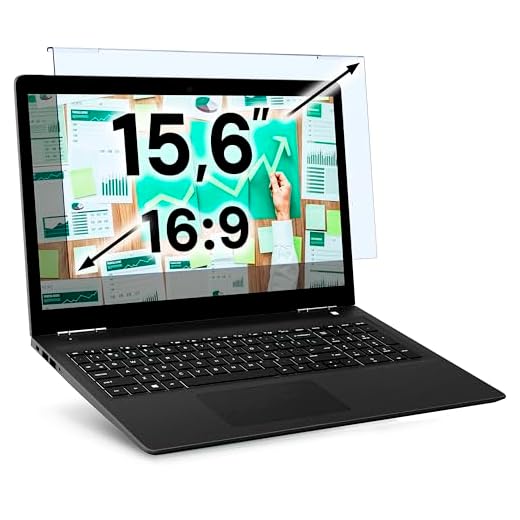
The F FORITO 2-Pack 15.6 Inch Anti Blue Light Laptop Screen Protector offers a practical solution for larger Dell displays. It uses advanced filtering technology to block harmful light while maintaining high-definition clarity. The protector features an anti-glare matte finish to reduce reflections from overhead office lights, making long typing sessions much more comfortable. You get two protectors in the package to keep a spare on hand.
FORITO 15.6-inch Anti-Blue Light Screen Protector (2-Pack)

2. Anti-Blue Light Screen Protector for Dell Latitude 14
Owners of specific business models need protectors tailored to their exact screen dimensions. The Anti-Blue Light Screen Protector for Dell Latitude 14 fits models like the 7400, 7410, and 5450 exactly. This targeted sizing eliminates the need to trim the edges with scissors. A precise fit prevents dust from gathering along the borders of the screen, keeping your laptop looking clean and professional.
3. 15.6 Inch Laptop Screen Protector Blue Light Glare Filter
The 15.6 Inch Laptop Screen Protector Blue Light Glare Filter provides a standard fit for many popular Dell models. It applies directly to the screen surface to create a smooth and invisible barrier. Clean the protector weekly with a dry microfiber cloth to maintain optimal clarity, avoiding harsh chemical cleaners that might strip away the anti-glare coating. Proper care ensures the filter continues to block blue light effectively for years.
MUBUY 15.6-inch Anti-Blue Light & Glare Filter

4. VINTEZ Blue Light Screen Protector
The VINTEZ Blue Light Screen Protector filters up to 61 percent of blue light and 99 percent of UV light. It extends the longevity of your screen by shielding it against scratches, dirt, and dust. The quick setup process involves peeling a matte protective film from both sides and positioning it on the monitor. This patent-pending design ensures your eyes stay comfortable while your hardware remains safe from physical wear. You can easily remove and replace it if it ever gets too scratched up.
VINTEZ 15.6-inch Blue Light Screen Protector
Final Thoughts
A blue light screen protector provides immediate relief from digital eye strain and prevents screen scratches. Measure your Dell laptop screen diagonally today, select the matching filter size from our list, and install it to protect your vision.
Frequently Asked Questions
Do blue light screen protectors change the color of my display?
Most high-quality protectors add a very slight warm tint to the screen. This shift is usually unnoticeable during regular tasks like typing or browsing the web. Graphic designers who need perfect color accuracy might need to adjust their monitor settings slightly.
Can I remove and reuse a laptop screen protector?
The reusability relies on the installation method used by the manufacturer. Protectors that use adhesive strips or slide-in tabs can often be removed and reattached. Models with a full silicone adhesive backing are generally meant for a single application.
How do I clean my blue light screen filter?
You should gently wipe the surface with a dry or slightly damp microfiber cloth. Never use glass cleaners or alcohol-based solutions on the protector. Harsh chemicals can degrade the blue light blocking layers and ruin the anti-glare finish.